Prompts
· 22 min
Choosing the right AI image generator can make a significant difference to the quality of your visuals. Some models are particularly useful for fast creative experimentation, while others are designed to produce detailed images, follow complex instructions, or edit existing pictures with greater precision.
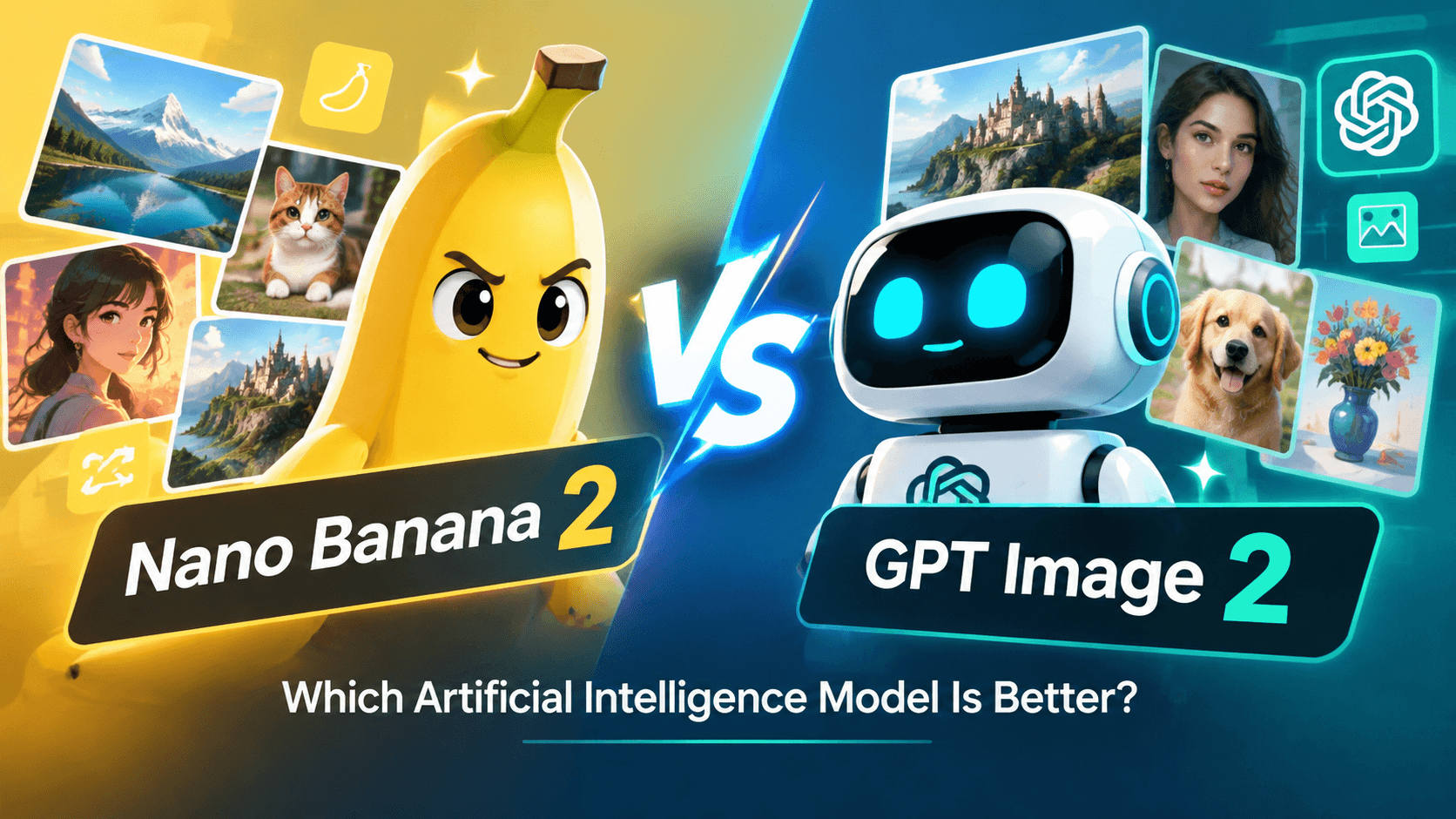
Two models worth comparing are Nano Banana 2 by Google and GPT Image 2 by OpenAI. Both can generate images from text prompts and support image-related creative workflows, but their strengths, capabilities, and ideal use cases may differ.
So, which AI image model is better for your needs? Should you choose Nano Banana 2 for product photography, social media graphics, and quick edits, or GPT Image 2 for detailed compositions and creative projects?
In this guide, we'll compare Nano Banana 2 vs GPT Image 2 across image quality, prompt understanding, text rendering, image editing, consistency, speed, and practical applications. You'll also find example prompts and a simple framework for choosing the right model.
Both models can be useful for AI image generation, but the best choice depends on what you want to create.
Feature: Developer Nano Banana 2: Google GPT Image 2: OpenAI
Feature: Main purpose Nano Banana 2: Fast image generation and iterative editing GPT Image 2: High-quality image generation and image editing
Feature: Text-to-image generation Nano Banana 2: Yes GPT Image 2: Yes
Feature: Image editing Nano Banana 2: Supports conversational image editing GPT Image 2: Supports image editing using text and image inputs
Feature: Working with reference images Nano Banana 2: Supports reference-based workflows GPT Image 2: Supports high-fidelity image inputs
Feature: Text inside images Nano Banana 2: Designed to render readable text for many common uses GPT Image 2: Supports text-heavy visual compositions
Feature: Visual styles Nano Banana 2: Photorealistic, illustrative, graphic, and artistic styles GPT Image 2: Photorealistic, illustrative, graphic, and artistic styles
Feature: Product visuals Nano Banana 2: Useful for product concepts and consistent visual assets GPT Image 2: Useful for product images, creative assets, and editing workflows
Feature: Complex instructions Nano Banana 2: Designed to follow detailed instructions GPT Image 2: Designed for high-quality generation and instruction-based editing
Feature: Best for Nano Banana 2: Rapid iteration, reference-based creation, and flexible visual content GPT Image 2: Detailed image generation, editing, and production-oriented assets
Important: This is a practical overview, not a universal quality ranking. Results depend on the prompt, input images, output settings, model version, and complexity of the task. Capabilities can also change as providers release updates.
Nano Banana 2 is Google's AI image-generation model, based on Gemini 3.1 Flash Image. It combines image-generation capabilities with an emphasis on speed, creative control, and iterative editing.
The model can generate images from text descriptions and work with reference images in supported workflows. It is designed to interpret detailed instructions, maintain visual consistency across related outputs, and produce images for a range of creative and practical applications.
Nano Banana 2 can be useful for tasks such as:
For example, you could provide a product photo and ask the model to place the product in a minimalist studio, change the background, or create a seasonal advertising concept.
Instead of describing every visual detail from scratch, you can use a reference image and explain what should change.
Like other generative image models, Nano Banana 2 can misinterpret complex instructions, produce imperfect details, or render small text incorrectly.
If your project requires an exact product appearance, precise typography, or consistent details across many images, review each output carefully. You may need multiple generations or additional editing.
It's also important to check which version of the Nano Banana model is available in your chosen tool. The original Nano Banana 2 and later versions, such as Nano Banana 2.1, should not automatically be treated as identical in capability.
GPT Image 2 is OpenAI's image-generation and editing model. It can create images from text prompts and work with image inputs for editing tasks.
The model is intended for high-quality visual creation, with support for flexible image dimensions and high-fidelity image inputs. It can be used for a wide range of tasks, from photorealistic scenes and illustrations to marketing assets and image transformations.
Common use cases include:
For example, you could upload a product photograph and ask the model to create a premium advertising image with soft studio lighting, a carefully arranged background, and a specific composition.
You can also generate an entirely new image from a detailed prompt describing the subject, environment, lighting, camera angle, and visual style.
The quality of the result still depends on the complexity of the prompt and the requirements of the project. Fine details, text, product features, and exact spatial relationships may not always be reproduced perfectly.
High-fidelity image editing can also require more input information and processing resources than a simple text-to-image request.
As with any AI model, generated assets should be reviewed before publication, particularly when accuracy, brand consistency, or commercial presentation matters.
Version note: GPT Image 2 is a specific model name. OpenAI also offers newer GPT Image 2.5 variants. If you're comparing models in a live platform, confirm the exact version selected rather than assuming that GPT Image 2 and GPT Image 2.5 have identical capabilities.
Now let's compare the two models across the features that matter most when choosing an AI image generator.
Both models can generate realistic images, illustrations, and stylized visuals. However, the final result depends on the subject, prompt, reference images, and selected settings.
Nano Banana 2 is designed to combine visual quality with efficient generation and editing. It can be a practical option when you want to explore different versions of a concept without making the workflow unnecessarily complicated.
GPT Image 2 is also designed for high-quality generation and editing, making it suitable for detailed visual assets and more involved creative tasks.
For realistic product photography, portraits, and advertising images, neither model should be considered the automatic winner in every situation.
Which should you choose?
The most reliable way to compare visual quality is to generate images using the same prompt, similar settings, and equivalent reference material.
A good AI image generator should understand not only the subject of a prompt but also the relationships between objects, lighting, composition, and style.
For example, a prompt might ask for a glass perfume bottle positioned on a reflective surface, with soft light coming from the left and a blurred botanical background.
If the model understands the instructions well, the result should preserve the important relationships between the product, the lighting, and the environment.
Nano Banana 2 emphasizes detailed instruction following and reference-based creative control.
GPT Image 2 also supports detailed natural-language instructions for image generation and editing.
In practice, the better result depends on how each model interprets your specific request. If a prompt contains many constraints, test the output instead of assuming that every instruction has been followed.
Tip: Put the most important requirements near the beginning of your prompt. Describe the subject, composition, and essential details before adding optional stylistic preferences.
Text rendering is particularly important when creating posters, advertisements, social media graphics, product labels, or promotional banners.
A visually attractive image can still be unusable if the headline contains incorrect letters or the product label is distorted.
Nano Banana 2 supports text generation inside images and can be useful for many common graphic-design tasks.
GPT Image 2 also supports image creation that includes text, making it an option for text-based visual assets.
However, results can vary depending on the font style, text length, layout complexity, and size of the lettering.
For example, a short headline placed in a simple poster layout is generally an easier task than a dense infographic containing many labels and paragraphs.
Which model is better for text in images?
There is no universal winner for every design. If accurate typography is critical, test both models with the exact wording and layout you need.
For logos, legal disclaimers, technical labels, and other text that must be exact, consider adding or correcting the text in a graphic-design editor after generation.
AI image editing allows you to modify an existing image using written instructions rather than recreating the entire visual.
Typical editing tasks include:
Nano Banana 2 supports conversational editing workflows, where you can refine an image through successive instructions.
GPT Image 2 supports image inputs and editing requests, allowing you to use an existing picture as the starting point for a transformation.
The important question is not simply whether a model supports editing, but whether it preserves the parts of the image you want to keep.
For example, when editing a product photograph, you may want to change the background without altering the product's shape, color, or label.
When editing a portrait, you may want to change the lighting while preserving the person's recognizable appearance.
Both models should be tested for these requirements. Review the edited image closely to make sure that the transformation has not introduced unwanted changes.
Consistency matters when you need several images featuring the same person, product, or visual concept.
This is especially relevant for:
Nano Banana 2 supports reference-based workflows designed to help preserve subject and object consistency across related images.
GPT Image 2 can also use image inputs to guide generation and editing, which can help when working from a reference.
However, neither approach guarantees perfect consistency across every generation. Small differences in facial features, clothing, proportions, product details, and background elements may still appear.
For the best results:
If you are creating a series of product images, use the original product photograph as a reference whenever the selected model supports that workflow.
Speed matters when you're creating many images, exploring multiple ideas, or working under a deadline.
Nano Banana 2 is designed for fast generation and iterative editing. This can make it attractive for workflows that involve testing several visual directions.
GPT Image 2 is designed for high-quality image generation and editing, but the time required for a particular task depends on the selected settings, image dimensions, input images, and service conditions.
It would be misleading to claim that one model is always faster without testing the exact versions and settings being compared.
If speed is important, measure the complete workflow rather than the time required for a single generation. Include the time spent correcting errors, regenerating images, and preparing the final asset.
A model that produces a usable image on the first attempt may be more efficient overall than one that generates quickly but requires several corrections.
The cost of generating an image can influence which model is more suitable for your workflow.
However, a lower price per generation does not automatically mean better value. If a model requires more attempts to produce the result you need, the total cost may be higher.
When comparing Nano Banana 2 vs GPT Image 2, consider:
On AITale, the cost of an image generation depends on the model and current pricing. Check the platform's pricing information before starting a large project.
For a fair comparison, calculate the cost of producing a finished, usable image rather than comparing only the initial generation price.
The best AI image model depends on the content you need to create.
Use case: Product photography concepts Model to test first: Nano Banana 2 or GPT Image 2 Why: Both can generate product-focused visuals
Use case: E-commerce product images Model to test first: Both Why: Compare product fidelity and background control
Use case: Social media graphics Model to test first: Both Why: Results depend on the layout, text, and style
Use case: Posters with short headlines Model to test first: Both Why: Test text accuracy and composition
Use case: Complex image editing Model to test first: Both Why: Compare preservation of important details
Use case: Reference-based image creation Model to test first: Nano Banana 2 or GPT Image 2 Why: Both support image-guided workflows
Use case: Consistent visual series Model to test first: Both Why: Use references and compare subject consistency
Use case: Photorealistic portraits Model to test first: Both Why: Evaluate realism, facial details, and prompt adherence
Use case: Illustrations and concept art Model to test first: Both Why: Compare style, composition, and visual interpretation
Use case: High-volume image production Model to test first: Test both Why: Compare total cost, speed, and correction time
This table is a starting point, not a benchmark ranking. The best model for your project is the one that consistently produces usable results under your specific constraints.
Want to compare both models yourself? Use the same prompt with each model and evaluate the results side by side.
For a fair test, keep the prompt, reference images, and output requirements as similar as possible.
Prompt:
"Create a premium studio product photograph of a minimalist glass skincare bottle on a pale stone surface. Use soft natural light from the left, subtle shadows, realistic glass reflections, a warm neutral background, and a clean luxury beauty aesthetic. Keep the bottle centered, preserve realistic proportions, and leave generous negative space around the product. Photorealistic materials, refined composition, high detail."
What to evaluate:
Prompt:
"Create a modern promotional poster for a fictional specialty coffee brand called 'Morning Ritual'. Include the exact headline 'MAKE TIME FOR GOOD COFFEE' and the smaller text 'Freshly brewed. Made for your morning.' Use a warm cream background, dark brown typography, a beautifully photographed ceramic coffee cup, and subtle sunlight across the table. Keep the layout clean, balanced, and readable, with clear separation between the headline, product, and supporting text."
What to evaluate:
Always verify the spelling before using generated text in a published graphic.
Prompt:
"Create a photorealistic editorial portrait of a fictional young adult standing beside a large window in a modern apartment. Use soft directional daylight, natural skin texture, subtle shadows, a relaxed expression, and a muted neutral color palette. Frame the subject from the waist up with a softly blurred background. The result should feel like a professionally photographed lifestyle campaign, not a 3D render."
What to evaluate:
Prompt:
"Use the uploaded product photograph as the reference. Keep the product's shape, proportions, color, and visible label as close to the original as possible. Replace the background with a modern minimalist studio featuring a light beige surface, soft directional lighting, and a subtle natural shadow. Do not add extra objects, change the product design, or invent additional text."
What to evaluate:
Prompt:
"Create a cinematic fantasy landscape featuring an ancient stone city built along the edge of a dramatic mountain range. Mist drifts between the towers, waterfalls descend into a deep valley, and warm sunrise light illuminates the highest peaks. Use atmospheric perspective, intricate architectural details, realistic stone textures, and a sophisticated cinematic color palette. Wide composition, immersive scale, detailed environment concept art."
What to evaluate:
After generating each image with both models, score the results from 1 to 5 across five criteria:
Criterion: Prompt accuracy What to look for: Did the model follow the instructions?
Criterion: Visual quality What to look for: Does the image look polished and coherent?
Criterion: Detail accuracy What to look for: Are important objects and features rendered correctly?
Criterion: Editing control What to look for: Did the model preserve the details that needed to remain unchanged?
Criterion: Practical usability What to look for: Could you use the image with minimal additional editing?
Add the scores for each model, but don't rely on the total alone. For example, one model may produce more attractive images while the other preserves product details more accurately. The right choice depends on which criteria matter most for your project.
AITale brings multiple AI image-generation tools together in one workspace, making it easier to explore different approaches to image creation.
Depending on current availability, you can compare models such as Nano Banana and GPT Image and choose the one that best fits your task.
Use this workflow to make your decision.
Start by identifying what you need to create.
Are you generating a new image from text, editing a photograph, producing product visuals, or preparing graphics for social media?
Different tasks place different demands on the model.
Open the image-generation workspace and check the available model options.
Select Nano Banana 2 or the corresponding available version if you want to test Google's image-generation workflow. Choose GPT Image 2 if that exact model is available and you want to evaluate OpenAI's image-generation and editing capabilities.
Check the displayed model name carefully. A platform may offer newer versions or variants, and similarly named models are not necessarily interchangeable.
Describe the subject, composition, lighting, visual style, and essential details.
If you are editing an existing image, explain what should change and what must remain unchanged.
For example:
"Change the background to a minimalist studio, but preserve the product's original shape, proportions, and label."
Specific instructions can make the result easier to evaluate.
Create the first version and check whether it meets your requirements.
Look for incorrect details, awkward composition, text errors, and unexpected changes to the subject.
If the result is close to what you want, refine the prompt rather than rewriting it completely.
If you are deciding between two models, generate the same image with each one.
Compare quality, prompt adherence, editing accuracy, generation cost, and the amount of work needed to prepare the final asset.
This approach gives you a more useful answer than choosing a model based on its name or general reputation.
So, which AI image model is better?
Nano Banana 2 is worth testing first if you prioritize rapid creative iteration, reference-based image creation, and conversational editing. Its design emphasizes efficient generation and the ability to refine visuals through successive instructions.
GPT Image 2 is worth testing if you need detailed image generation, flexible output dimensions, and instruction-based image editing. It can support a wide range of visual workflows, from product imagery to creative concepts.
However, neither model is the best choice for every task. Image quality, text accuracy, subject consistency, and editing reliability can vary depending on the prompt and the specific output requirements.
For the most reliable comparison, test both models on the same real-world task and evaluate the results against your own criteria.
With AITale, you can explore available AI image models in one place and choose the tool that best matches your creative workflow.
Ready to compare AI image generators? Open AITale, select an available image model, and start creating your next visual.