Prompts
· 25 min
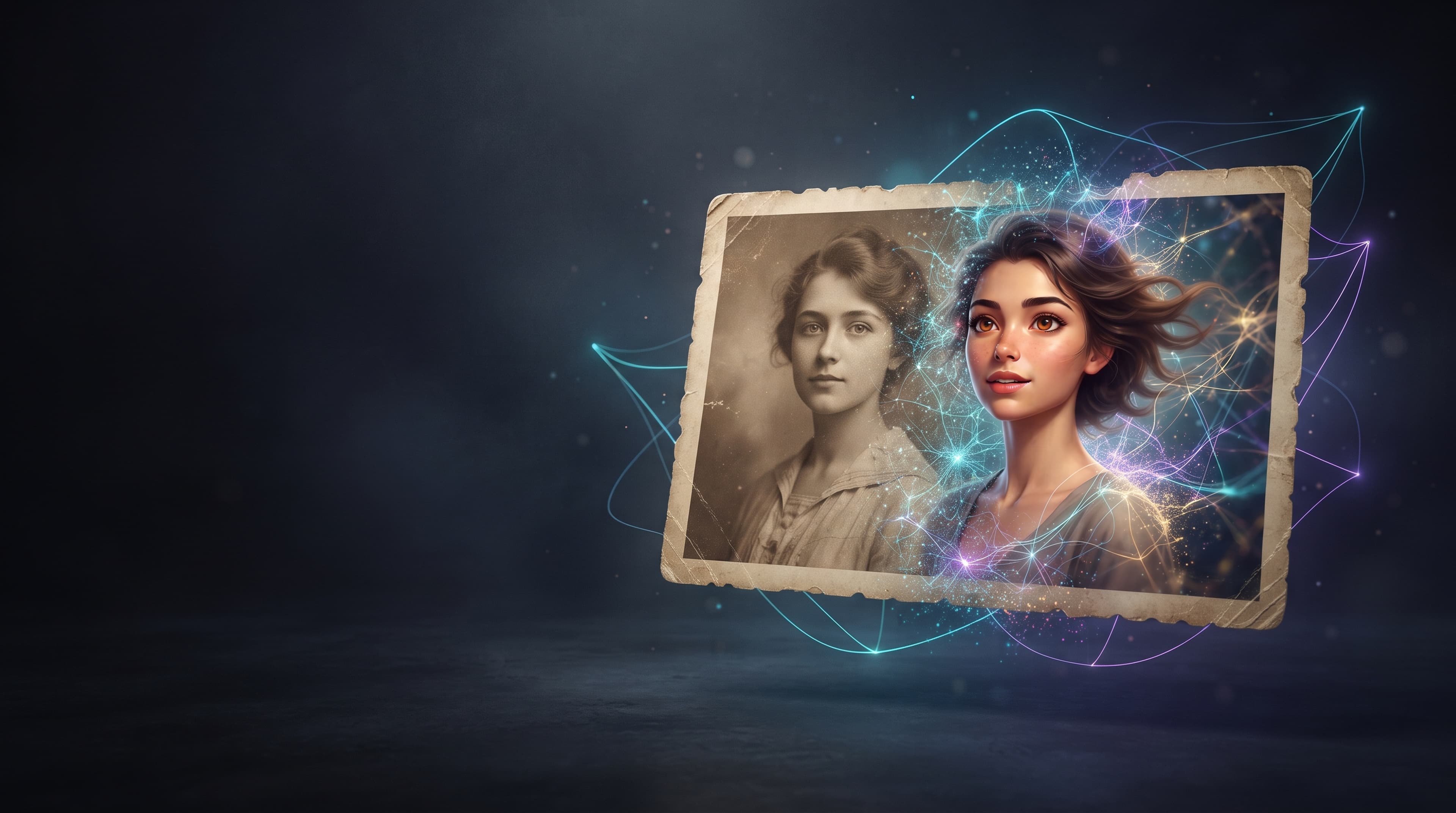
An AI photoshoot lets you create professional-looking portraits, business headshots, fashion images, and social media content without booking a photographer or renting a studio. With the right AI image generator and a well-written prompt, you can transform an ordinary selfie into a polished portrait or create an entirely new visual concept based on your reference photo.
Whether you need a professional headshot for LinkedIn, an updated resume photo, images for your personal brand, or creative portraits for Instagram, AI tools make it possible to experiment with different outfits, backgrounds, lighting, and photography styles.
In this guide, you will learn how to create an AI photoshoot from your own photo, choose the right image generation model, write effective prompts, and avoid common mistakes. You will also find 10 ready-to-use AI photoshoot prompts that you can customize for your needs.
An AI photoshoot is a way to create or transform portrait photographs using artificial intelligence. Instead of arranging a traditional photo session, you upload a reference image or describe the desired scene in text. The AI then generates an image based on your instructions.
Depending on the tool and model, you can use AI to:
There are two main approaches to AI photography.
AI photo editing using a reference image. You upload an existing photograph and ask the model to modify specific elements while keeping your appearance recognizable. This is usually the better starting point when you want the result to resemble you.
AI photo generation from a text prompt. You describe a person, setting, outfit, composition, and photography style. The model generates an image from that description. This approach offers more creative freedom, but it does not guarantee that the generated person will resemble you.
If your goal is to create a professional AI photoshoot using your own face, start with a clear reference photo and explicitly ask the model to preserve your recognizable facial features.
AI image generators can produce portraits for different professional and personal purposes. The best style depends on where you plan to use the images and what impression you want to create.
1. Professional AI Headshots
Professional headshots are useful for LinkedIn, resumes, company websites, portfolios, speaker profiles, and business presentations.
A typical business portrait features professional clothing, a neutral background, soft lighting, natural skin texture, and a confident expression. Depending on your industry, you can choose a formal corporate look or a more relaxed business-casual style.
2. Studio Portraits
Studio-style AI photos are a good option if you want a clean, polished appearance without a complicated background. You can experiment with soft gray backdrops, warm beige tones, dramatic shadows, or high-key lighting.
These portraits work well for personal websites, profile pictures, portfolios, and professional social media accounts.
3. Fashion and Editorial Photography
An AI photoshoot can recreate the visual style of a fashion magazine or an editorial campaign. You can experiment with statement outfits, unusual compositions, dramatic lighting, and carefully styled backgrounds.
This approach is especially useful for creative portfolios, fashion content, and visual concepts that would be expensive or difficult to produce in a traditional studio.
4. Lifestyle Photos for Social Media
Lifestyle photography places the subject in a natural-looking environment, such as a café, modern office, city street, or outdoor setting.
AI-generated lifestyle portraits can help creators, freelancers, and entrepreneurs produce varied content for Instagram, blogs, and personal websites. The key is to specify the environment, clothing, pose, and lighting instead of relying on a vague instruction such as “make it aesthetic.”
5. Romantic and Couple Photoshoots
With suitable reference images, AI tools can help create romantic portraits, sunset scenes, anniversary images, or coordinated couple photos.
For the most natural result, describe the interaction between the subjects, their positions, the lighting, and the mood. Review the generated image carefully to make sure facial features, hands, and body proportions look realistic.
6. Personal Branding Photography
Personal branding photos communicate your professional identity and personality. You might need a formal headshot for your website, a relaxed portrait for social media, and a creative image for a presentation or campaign.
AI makes it easier to explore several visual directions before deciding on a consistent style.
AITale offers tools for generating and editing images, including Nano Banana 2.1, Nano Banana Pro, and GPT Image 2.5. They are suitable for various creative tasks, but the specific result depends on the chosen model, version, and mode of operation.
Nano Banana 2.1 and Nano Banana Pro can be used to create images based on text descriptions and to edit your own photos. In the context of a neuro‑photo session, this allows you to experiment with the look, clothing, background, lighting, and overall style of the shot.
For example, you can upload your photo and ask to create a business portrait while preserving recognizable facial features, or change an everyday look to an evening one without altering the person’s main appearance.
For a more predictable result, specify which elements are allowed to be changed and which need to be preserved. If recognizability is important, separately indicate the face, age, shape of the eyes, nose, lips, and characteristic features of the appearance.
When it’s worth trying: if you want to transform your photo, create several image variations, edit the background, or experiment with photography styles.
In AITale, the terms of use for these models depend on the selected plan. Before generating, check the current limits and available parameters.
GPT Image 2.5 is another AITale tool for generating images and editing photos. It can be considered for creating portraits based on a text description, developing visual concepts, and adjusting individual image details.
For a neuro‑photo session, you can specify a business, studio, fashion, or lifestyle style, describe the clothing, background, and lighting. If you are using an original photo, indicate what exactly needs to be changed and which features of the appearance and composition should remain the same.
When it’s worth trying: if you need to create a new visual image, change individual elements of a photo, or prepare several photo options with different designs.
There is no single model that is guaranteed to perform better for all types of portraits. It is more practical to choose a tool for a specific task and compare the results.
You can view examples of images and find ideas for your own photo shoot in the AITale prompts. They contain ready‑made visual references and prompts that can be used as a basis for new images.
You do not need professional photography equipment or advanced editing skills to get started. The process is straightforward, although the quality of the reference image and the clarity of your instructions can significantly affect the result.
Start with a photograph that clearly shows your face. A good reference image gives the AI enough visual information to reproduce your appearance more accurately.
For better results, choose a photo with:
A recent photograph is preferable, particularly if your hairstyle, facial hair, or appearance has changed.
If you want to create several different portraits, you can try a few reference photos with different angles. However, follow the specific model's guidance on how many images it accepts and how it uses them
Before opening an AI image generator, define your goal. The more clearly you understand the desired result, the easier it will be to write an effective prompt.
For example:
Choose one main direction for your first generation. You can experiment with other styles after you obtain a satisfactory result.
The model you choose can influence image quality, visual style, instruction following, and how well it handles reference images.
On AITale, you can explore AI tools for image generation and editing. Depending on current availability, relevant options may include:
The best model depends on the specific task, available features, and your desired result. Model availability, pricing, and usage limits can change, so check the current information on AITale before starting.
You can also explore the AITale prompt gallery for ideas and examples to adapt to your own projects.
Upload your reference image to the selected tool, then describe the transformation you want.
A useful AI photoshoot prompt should explain:
1. Identity: whether the model should preserve the person’s recognizable appearance. 2. Clothing: the outfit, colors, materials, and accessories. 3. Pose: body position, head angle, and gaze. 4. Background: a studio, office, outdoor location, or another setting. 5. Lighting: soft daylight, studio lighting, golden-hour sunlight, or dramatic shadows. 6. Composition: close-up, head-and-shoulders portrait, or full-body image. 7. Photography style: corporate, editorial, fashion, lifestyle, or cinematic. 8. Restrictions: details that should not change, such as age, skin tone, or facial features.
Avoid prompts that only say “make this photo professional.” They leave too many decisions to the model.
Do not judge the result only by its overall appearance. Examine the details before using the image publicly.
Check whether:
If something is wrong, refine the existing image with a specific instruction rather than rewriting the entire prompt.
For example: “Keep the face and hairstyle unchanged. Replace the background with a softly lit neutral gray studio backdrop and make the skin texture more natural.”
You don’t have to change the entire prompt if you just don’t like the background or the clothing. It’s better to provide a short additional instruction.
For example:
“Leave the face, hairstyle, and facial expression unchanged. Replace only the background with a light gray studio background, make the lighting softer, and preserve the natural skin texture.”
By changing one or two parameters at a time, it’s easier to understand which wording helps achieve the desired result.
One image may be enough for a profile picture, but a personal brand or website often needs several complementary portraits.
To create a consistent series, keep the main visual characteristics stable: identity, color palette, lighting style, and overall photographic approach. Change one or two elements at a time, such as the outfit, pose, or background.
For example, you could create a business headshot, a relaxed office portrait, and an outdoor lifestyle photo that all share the same natural color palette.
Remember that repeating the same prompt does not guarantee identical facial features or perfect consistency. Review each image and select the results that best match your intended visual identity.
A good prompt works like a brief for a professional photographer. It tells the AI what to create, how the subject should look, and which visual details matter most.
A practical formula is:
Subject + identity instructions + clothing + pose + background + lighting + composition + photography style + restrictions.
For example:
“Create a realistic professional headshot based on the uploaded reference photo. Preserve the person's recognizable facial features, age, skin tone, and natural proportions. Dress the person in a dark navy blazer and a white shirt. Use a clean light-gray studio background, soft directional lighting, a relaxed confident expression, and head-and-shoulders framing. Create a polished corporate photography style with natural skin texture. Do not add text or watermarks.”
This prompt is effective because it describes the intended result in concrete terms rather than relying on general words such as “beautiful,” “perfect,” or “high quality.”
Tips for Better AI Photoshoot Prompts
- Describe the lighting, not just the mood. Instead of writing “beautiful lighting,” try “soft natural window light from the left with gentle shadows.”
- Specify the composition. Use terms such as “head-and-shoulders portrait,” “eye-level camera,” or “full-body editorial photograph.” Be precise about clothing. “Business attire” is broad. “A tailored navy blazer over a cream blouse” gives the model a more specific direction.
- Preserve identity explicitly. If you are working from your own photo, ask the model to retain your recognizable facial features and natural proportions.
- Make changes gradually. If the first image is close to what you want, request one targeted edit at a time.
- Avoid contradictory instructions. For example, asking for both dramatic cinematic shadows and completely flat, shadow-free lighting may produce an inconsistent result
The following prompts are written in English so you can copy them into an image generation or editing tool. If you want to use your own appearance, upload a reference photo first and keep the identity-preservation instructions.
“Create a realistic professional headshot based on the uploaded reference photo. Preserve the person's recognizable facial features, age, skin tone, hairstyle, and natural proportions. Dress the person in a tailored navy blazer over a white shirt. Use a clean light-gray studio background, soft flattering lighting, a natural confident expression, and head-and-shoulders framing. Keep the skin texture realistic and the overall look polished but authentic. Professional corporate photography, sharp focus on the eyes, no text, no watermark.”
“Transform the uploaded photo into a minimalist studio portrait while preserving the person's recognizable face and natural appearance. Use a warm beige background, soft diffused studio lighting, subtle shadows, and a simple black outfit. Position the subject slightly off-center with relaxed shoulders and a calm, confident expression. Create an elegant editorial portrait with natural skin texture, realistic proportions, and refined composition. No excessive retouching, no text, no watermark.”
“Create a high-fashion editorial portrait based on the uploaded reference photo. Preserve the person's recognizable facial features and natural proportions. Style the subject in a modern, structured outfit with sophisticated details. Use dramatic directional studio lighting, a deep charcoal background, an expressive pose, and a carefully composed editorial frame. The image should resemble a premium fashion magazine photoshoot, with realistic fabric texture, detailed hair, natural skin, and strong visual contrast. No text or watermark.”
“Transform the uploaded photo into a natural outdoor lifestyle portrait. Preserve the person's recognizable face, hairstyle, skin tone, and body proportions. Place the subject in a stylish urban park with softly blurred greenery in the background. Use warm late-afternoon sunlight, relaxed natural posing, and a candid expression. Dress the person in smart-casual neutral clothing. Create realistic lifestyle photography with soft background blur, balanced colors, natural skin texture, and an authentic atmosphere. No text or watermark.”
“Create a romantic golden-hour portrait using the uploaded reference photo. Preserve the person's recognizable facial features and natural appearance. Place the subject in a beautiful outdoor setting shortly before sunset, with warm sunlight, soft highlights, and a gently blurred background. Use relaxed body language, natural expression, and elegant neutral clothing. The image should feel intimate, warm, and authentic, like a professionally photographed lifestyle portrait. Maintain realistic skin texture and natural proportions. No text or watermark.”
“Create a detailed beauty portrait based on the uploaded reference photo. Preserve the person's recognizable facial features, eye color, skin tone, and natural proportions. Use soft beauty lighting, a clean neutral background, subtle makeup, and realistic skin texture. Frame the face in a close-up composition with sharp focus on the eyes and gentle highlights. Keep the result elegant and natural, without excessive smoothing or artificial facial changes. Professional beauty photography, no text, no watermark.”
“Create a professional business portrait based on the uploaded reference photo. Preserve the person's recognizable face, hairstyle, facial hair if present, skin tone, and natural proportions. Dress the subject in a tailored charcoal suit and a crisp white shirt. Use a modern office background with subtle depth of field, soft directional lighting, and a confident but approachable expression. Frame the image from the chest up, with natural posture and realistic clothing details. Premium corporate photography, no text, no watermark.”
“Transform the uploaded reference photo into a sophisticated black-and-white portrait. Preserve the person's recognizable facial features, natural proportions, and expression. Use directional studio lighting with controlled shadows, a simple dark background, and a thoughtful pose. Emphasize realistic skin texture, detailed hair, subtle tonal transitions, and a timeless photographic aesthetic. The result should feel like an authentic fine-art portrait rather than a digital illustration. No text, no watermark.”
“Create a professional personal branding portrait based on the uploaded reference photo. Preserve the person's recognizable facial features, age, skin tone, and natural proportions. Place the subject in a bright, modern workspace with a laptop and subtle office details in the background. Dress the person in smart-casual clothing in neutral colors. Use soft window light, a relaxed confident expression, and a natural working pose. Create polished, authentic photography suitable for a business website, professional social media profile, or personal brand campaign. No text or watermark.”
“Create a luxury editorial portrait based on the uploaded reference photo. Preserve the person's recognizable facial features and natural proportions. Style the subject in an elegant, tailored outfit with refined accessories. Use a sophisticated interior with warm neutral tones, subtle architectural details, and soft directional lighting. Compose the image like a premium fashion campaign, with realistic fabric textures, natural skin detail, and understated cinematic depth. Keep the result polished and believable rather than overly retouched. No text or watermark.
Tip: These prompts are starting points, not guarantees. Different image models interpret instructions differently. If the result does not look right, adjust the specific details that need improvement and generate another version.
One of the biggest challenges when creating an AI photoshoot from your own photo is preserving your identity. A generated image may look professional but still resemble a different person.
To reduce this risk, follow these recommendations.
- Use a Clear Reference Image
Choose a photo in which your facial features are easy to see. Heavy filters, extreme angles, and strong shadows can make accurate reproduction more difficult.
- Describe What Must Stay the Same
Include an explicit instruction such as:
“Preserve the person's recognizable facial features, face shape, eye color, nose, lips, skin tone, age, and natural proportions. Change only the clothing, background, pose, and lighting specified in the prompt.”
You can adapt this instruction to your needs. No prompt can guarantee exact identity preservation, so always inspect the result.
- Avoid Unnecessary Changes to Your Appearance
If you want a realistic professional portrait, focus your instructions on the environment and presentation rather than changing your facial structure, age, or body shape.
For example, request a different jacket, a neutral studio background, and softer lighting instead of asking the model to make multiple unrelated changes at once.
- Refine the Existing Image
When a result is almost right, use a targeted follow-up instruction:
“Keep the current face, hairstyle, and expression unchanged. Improve the lighting, replace the background with a neutral studio backdrop, and preserve natural skin texture.”
The model may still alter other details, so review the updated image before accepting it.
Even a well-written prompt can produce imperfections. Knowing what to look for makes it easier to improve the result.
Problem: The face looks different What to try: Use a clearer reference image and strengthen the identity-preservation instructions.
Problem: Skin looks plastic or overly smooth What to try: Request natural skin texture, realistic pores, and minimal retouching.
Problem: Hands or fingers look distorted What to try: Use a simpler pose, keep hands outside the frame if appropriate, and regenerate the affected image.
Problem: Clothing looks unnatural What to try: Specify a simple garment, its color, and material; avoid too many accessories.
Problem: The background looks artificial What to try: Choose a simpler setting and describe the lighting and depth of field more precisely.
Problem: Different images look inconsistent What to try: Reuse the same core prompt, color palette, lighting description, and composition.
Problem: The image looks too heavily edited What to try: Ask for a natural photographic result and reduce beauty filters or dramatic effects.
Do not assume that the first generated image will be the best one. Compare the results and choose the image that meets your requirements rather than the one that looks the most heavily polished.
Some AI image generation tools provide free usage allowances, while others require credits or a subscription. The number of images you can create and the available features depend on the platform, model, and current plan.
If you want to try an AI photoshoot on AITale, check the current model availability and usage conditions at AITale. Review any limits before generating a large set of images.
To make the most of a limited allowance:
This approach helps you test different looks without wasting generations on vague instructions.
AI-generated portraits can be useful in a variety of personal and professional contexts.
- LinkedIn and professional profiles: A polished headshot can help maintain a consistent professional appearance, provided it still represents you accurately.
- Resumes and portfolios: Use a suitable portrait when the application or professional context calls for one. Follow any specific requirements provided by an employer or institution.
- Business websites: Create complementary portraits for team pages, biographies, and personal branding.
- Social media: Produce lifestyle portraits and creative images for posts, profile pictures, and content campaigns.
- Marketing and advertising: Develop visual concepts, campaign mockups, and branded content.
- Creative projects: Explore fashion, editorial, artistic, and conceptual photography without arranging a traditional shoot.
For official identification documents, visa applications, or other regulated uses, check the applicable rules before using AI-generated or altered photographs. These contexts may require an unaltered image that meets specific standards.
If you intend to use an AI-generated image commercially, also review the platform's terms, the rights associated with your inputs and outputs, and any applicable privacy or consent requirements.
AI-generated images and traditional photoshoots serve different purposes. Neither approach is automatically better for every situation.
Factor: Setup AI photoshoot: Usually requires a reference photo or text prompt Traditional photoshoot: Requires a photographer and a planned session
Factor: Creative flexibility AI photoshoot: Easy to experiment with outfits, settings, and visual styles Traditional photoshoot: Depends on the location, equipment, wardrobe, and production budget
Factor: Cost AI photoshoot: Depends on the platform, model, and usage plan Traditional photoshoot: Depends on the photographer, studio, and production requirements
Factor: Consistency AI photoshoot: Can be challenging to preserve identity across many generations Traditional photoshoot: A photographer can maintain consistent conditions during a session
Factor: Real-world accuracy AI photoshoot: Details may be altered or invented by the model Traditional photoshoot: Captures the person and scene as photographed
Factor: Best suited for AI photoshoot: Creative concepts, profile images, visual experiments, and content production Traditional photoshoot: Authentic documentation, live events, and situations requiring an actual photograph
For everyday profile images, creative concepts, and early-stage visual content, AI can be a practical alternative. For documentary photography, official requirements, or projects where exact real-world representation is essential, a traditional photograph may be more appropriate.
Creating professional-looking portraits with AI starts with three things: a suitable reference image, a clear visual direction, and a detailed prompt.
Whether you need a business headshot, a fashion portrait, or lifestyle images for your personal brand, AI tools let you explore different looks without organizing a traditional photo session. Start with one well-defined concept, review the generated image carefully, and refine the details until the result matches your expectations.
Explore image generation and editing options on AITale, experiment with the prompts in this guide, and create an AI photoshoot tailored to your needs.