Prompts
· 17 min
You can create a photo using a neural network even without photography, design, or image processing skills. It is enough to describe the desired result in words, choose a suitable AI model and formulate a prompt request. Artificial intelligence will analyze the description and generate an image that can be used for social media, personal projects, advertising, or creative experiments. Modern neural networks are able to create realistic portraits, virtual photo shoots, illustrations, images of goods and artistic compositions. In addition, many AI tools allow you to edit finished photos.: change the background, add objects, adjust lighting, and transform images into different styles. In this article, we'll look at how to create a photo using a neural network from scratch, what information to specify in a query, how to create effective promptings, and what to do if the result does not meet expectations.
Image generation using artificial intelligence is the process of creating visual content based on a text description, uploaded photo, or a combination of several references. The user formulates a task, for example: "Create a realistic portrait of a girl in a light dress by the sea at sunset." The neural network interprets the description and creates an image based on the specified objects, composition, lighting, and stylistics.
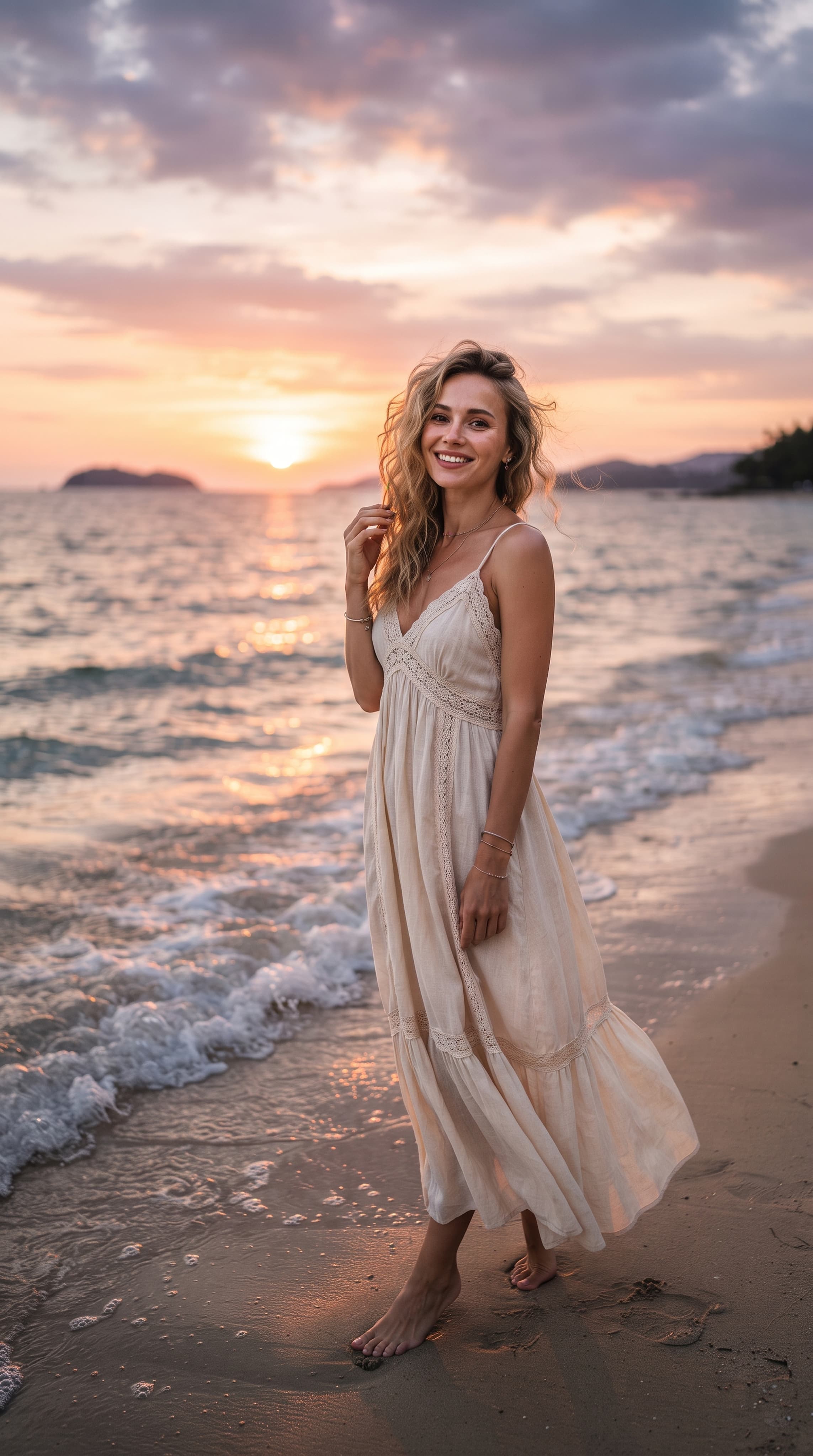
Create a realistic portrait of a girl in a light dress by the sea at sunset
Depending on the chosen model, you can get a photorealistic snapshot, an illustration, an advertising creative, fantasy art, or an image stylized for a certain era. With the help of neural networks, you can:
It is important to distinguish between generating an image from scratch and editing a photo. In the first case, the neural network creates a new visual scene based on the description. In the second case, it uses the original image to change its individual elements or appearance.
For the first result, you don't need special programs or skills working with image editors. The process can be divided into several sequential steps.
Before starting the generation, formulate the goal. The more specific you imagine the future photo, the easier it will be to describe it to the neural network. For example, instead of the general query "Create a beautiful photo", you can select a specific task.:
At this stage, it is advisable to define several parameters: who or what will be depicted, where the action takes place, what mood the image should convey, and for what purpose it is created.
If you need a photo to post on social media, think about the frame format in advance. A square composition is suitable for an avatar, and a vertical image is suitable for a story or a vertical post.
The next step is to select an AI tool. Different models differ in generation quality, editing capabilities, complex query processing, and support for text instructions.
When choosing, it is worth considering not only the realism of the image, but also how accurately the model performs the task.
For example:
In AITale You can work with multiple AI models in the same space, choose the appropriate tool, and create images based on your own ideas. This is useful if you want to compare the results of different models without switching between multiple separate services.
You can start with the image generation section on AITale.ru.
When choosing a model, pay attention to the available features, the cost of generation, the limitations of the tariff plan and the ability to upload your own photos.
A prompt is a text instruction that explains to a neural network which image needs to be created.
It is the quality of the description that largely determines the result. If you write only "girl on the street", the system will independently select the character's appearance, clothes, surroundings, lighting and composition. The more significant details you specify, the better you will be able to manage the final image.
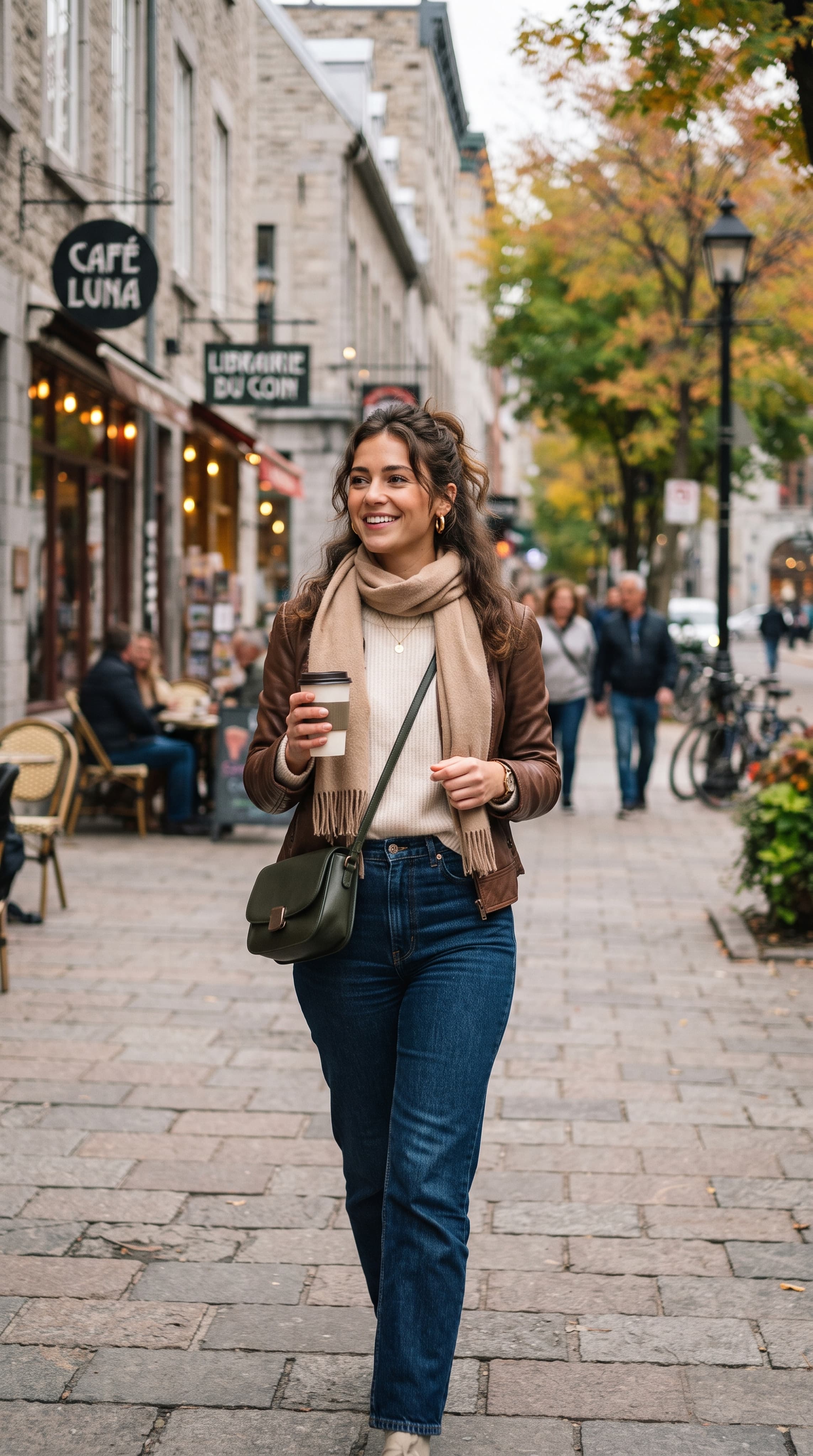
The girl on the street
It is convenient to make an industrial product from several elements:
For example, a simple query:
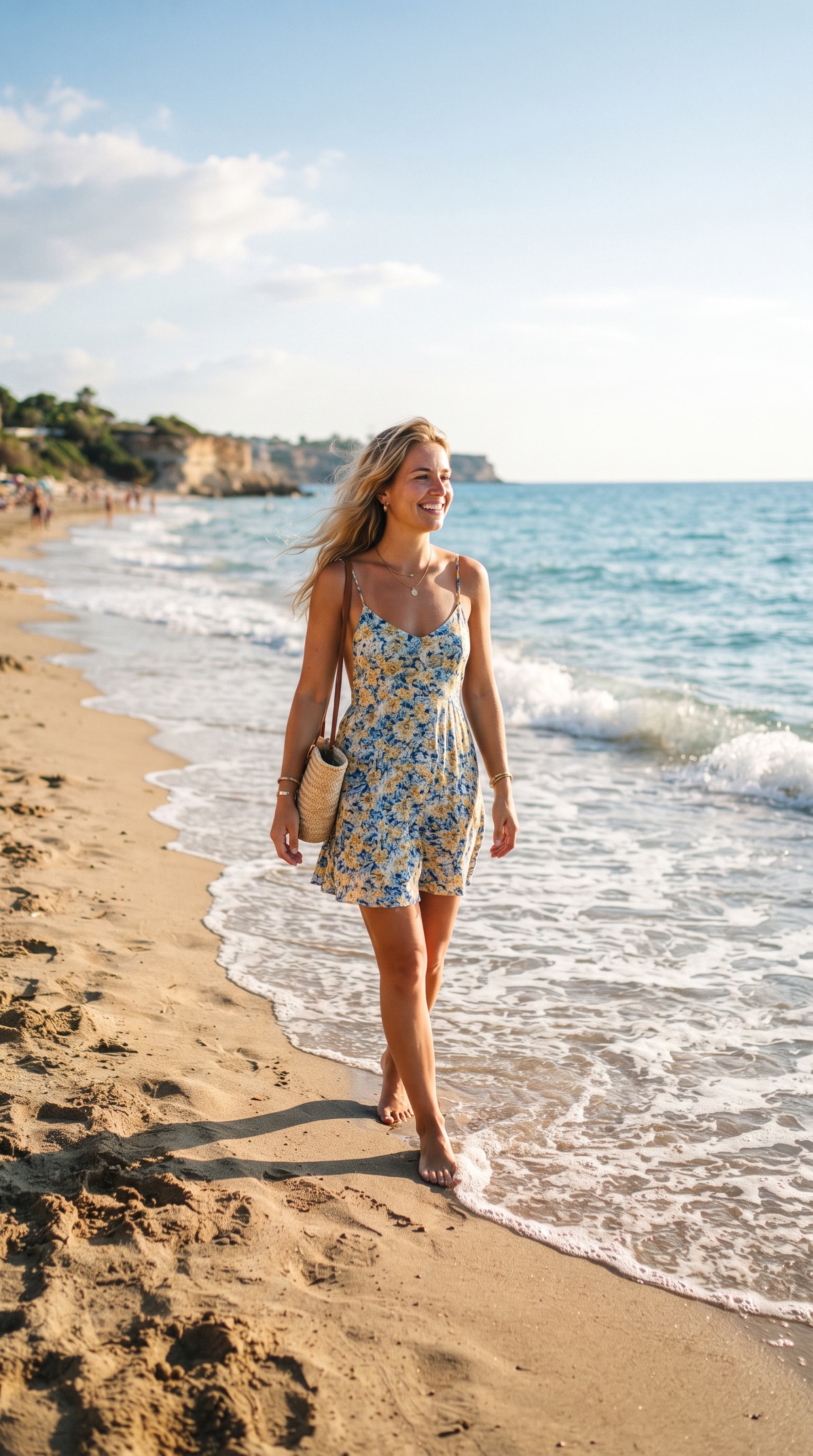
"Girl on the beach"
A more detailed version:
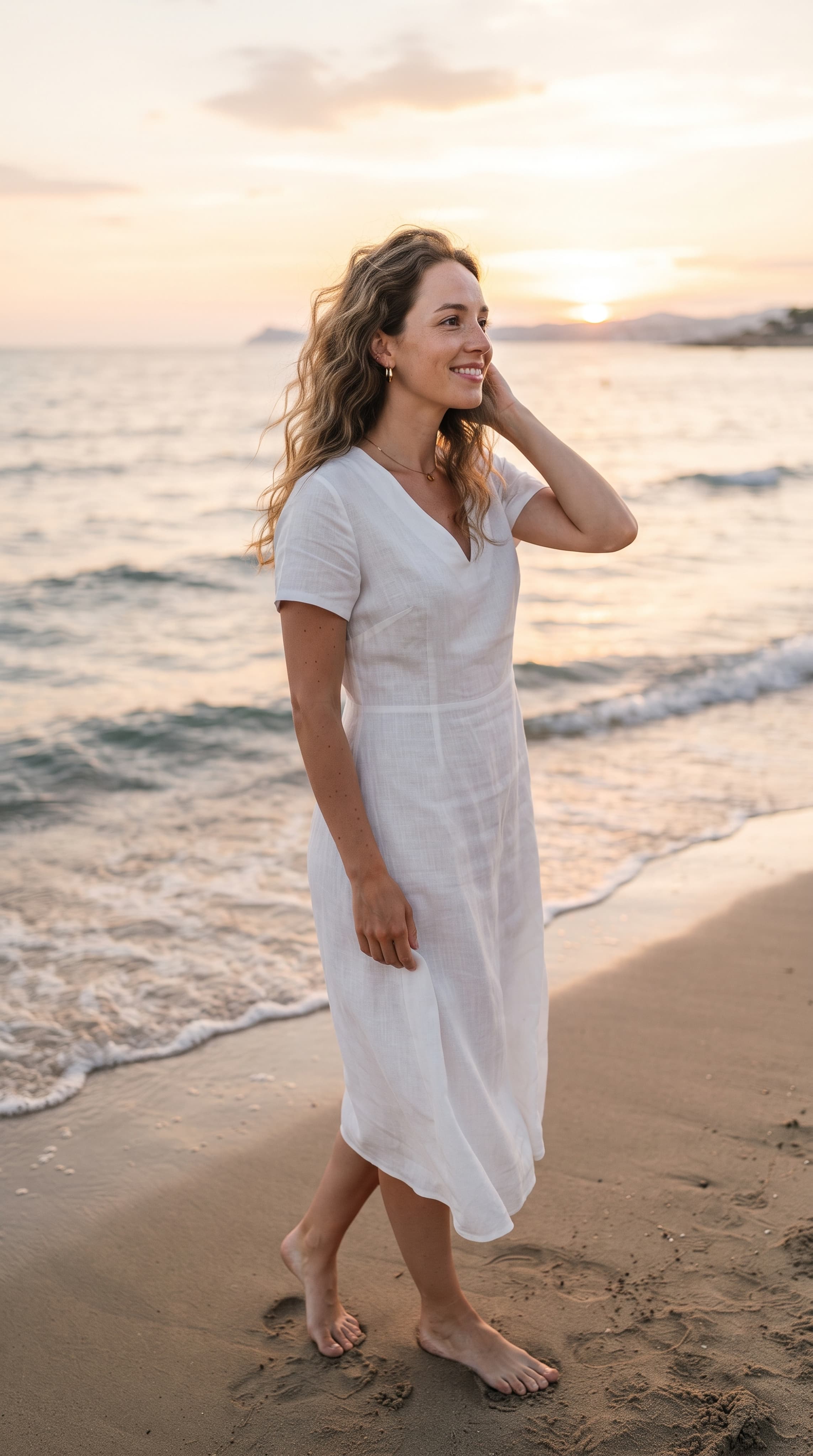
Create a realistic photo of a young woman in a white linen dress by the sea. Calm waves and the soft golden light of sunset are visible in the background. Waist-length portrait, natural pose, light wind in hair, soft lighting, natural skin tones, aesthetics of professional magazine photography, high detail
In the second case, the neural network receives much more information about the desired result. At the same time, you do not need to overload the prompt with dozens of random characteristics. It is better to describe the main features of the scene, and then gradually refine the details.
When the product is ready, open the selected model and paste the description into the query field. If the service supports additional settings, select the appropriate image format and other available options.
Next, start the generation and wait for the result.
At this stage, you should not expect that the first version will necessarily be perfect. Even a detailed prompt may not be interpreted by the neural network exactly as you expected.
For example, the image may turn out to be too dark, the background may be overly saturated, and the character's position may not be suitable for the intended composition.
This is a normal part of the process. Image generation involves consistently refining the query and searching for the most successful option.
After generation, check how well the image matches your idea.
Please note the following details:
If you are not satisfied with the result, it is not necessary to start over. It is often enough to clarify the initial prompt. For example, you can add instructions to a query.:
If the selected model supports editing an already created image, you can ask to change a specific detail while preserving the rest of the composition. This approach helps to gradually bring the result closer to the desired one.
When the image is ready, save it in an accessible format, if such an option is provided by the service.
Before publishing, check the resolution, aspect ratio, and image quality. Avatars, social media posts, advertising banners, and product cards may require different sizes.
If the photo is intended for commercial use, check the conditions of the selected neural network and service separately. The ability to generate an image does not automatically mean that any result is subject to the same usage rules.
One of the easiest ways to learn how to generate high—quality images is to use ready-made prompta and adapt them to your own task.
Below are examples of queries that can be used as a basis for generating photos.
1. Realistic portrait
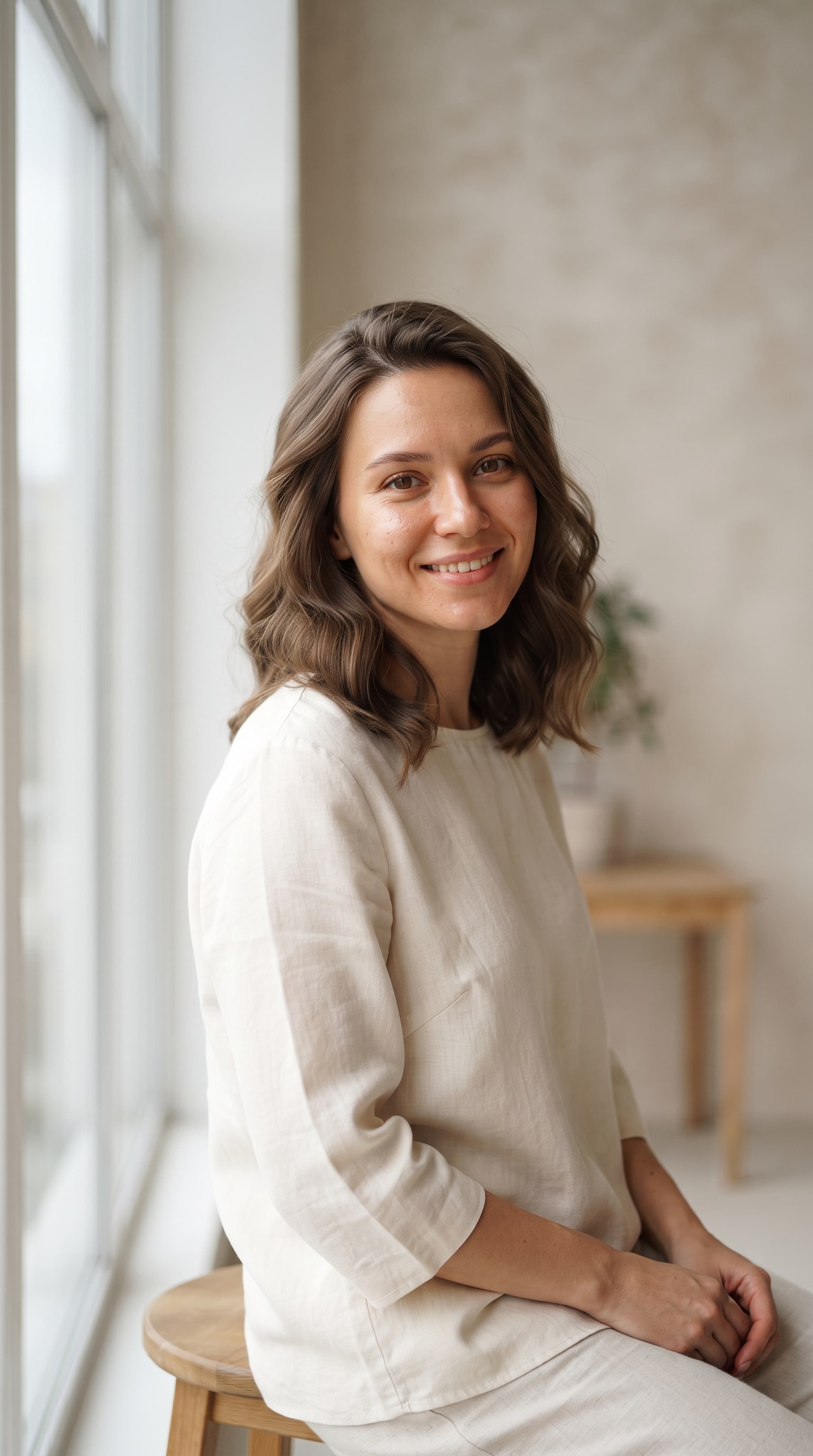
Create a photorealistic portrait of a young woman in a minimalist light studio. Natural facial expression, soft diffused light from a large window, neutral background, realistic skin texture, neat hairstyle, natural colors, professional portrait photography, high detail, vertical composition
This query is suitable for creating portraits, visual references, and images for personal projects.
2. Neurofotosession in nature
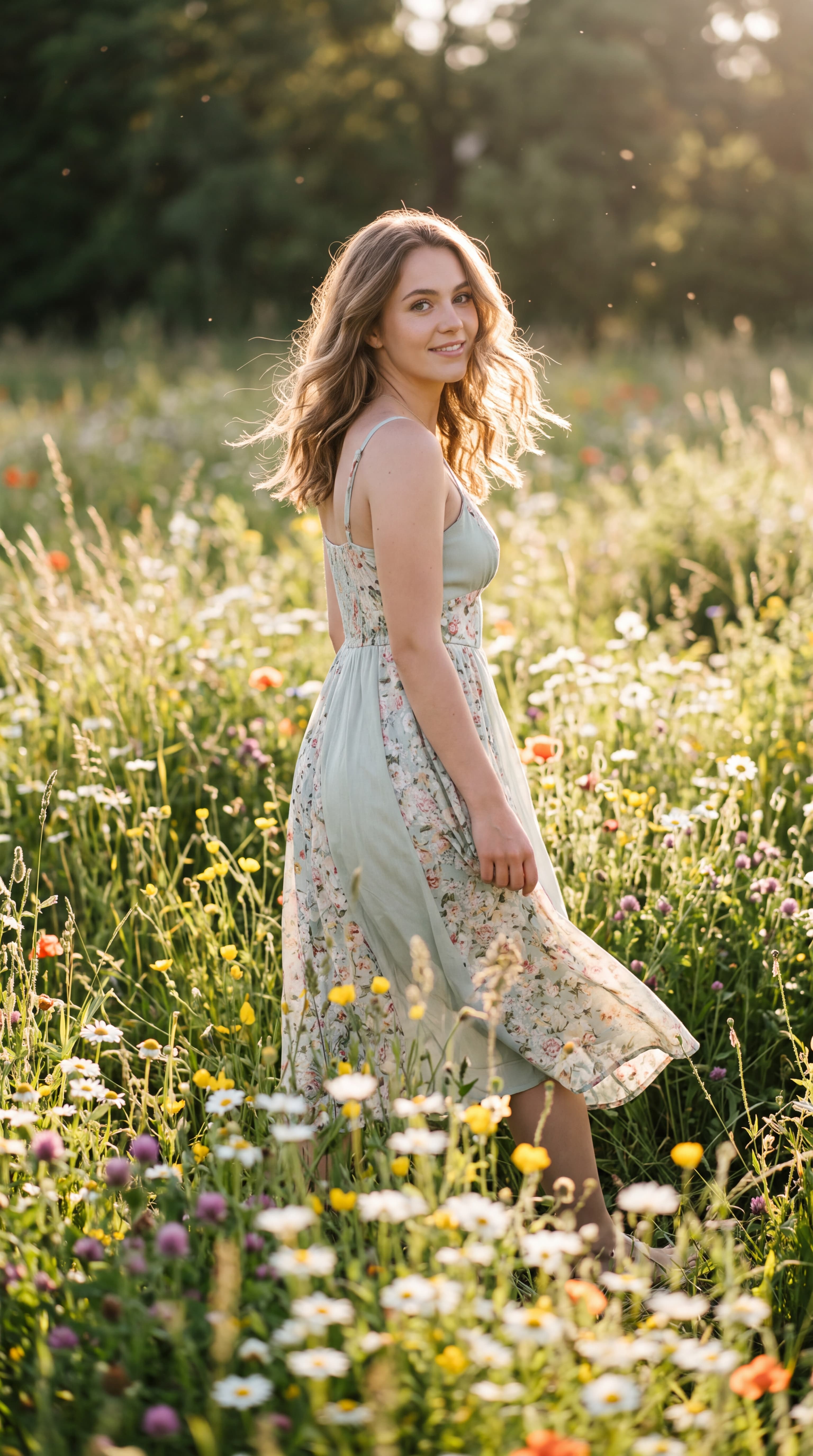
Professional summer photo shoot of a girl in a blooming meadow. A light pastel-colored dress, hair fluttering in the wind, soft sunlight, natural pose, flowers and greenery in the background, shallow depth of field, aesthetics of magazine photography, realistic colors, vertical frame
This design can be adapted for spring, summer and romantic photo shoots.
3. Business photography
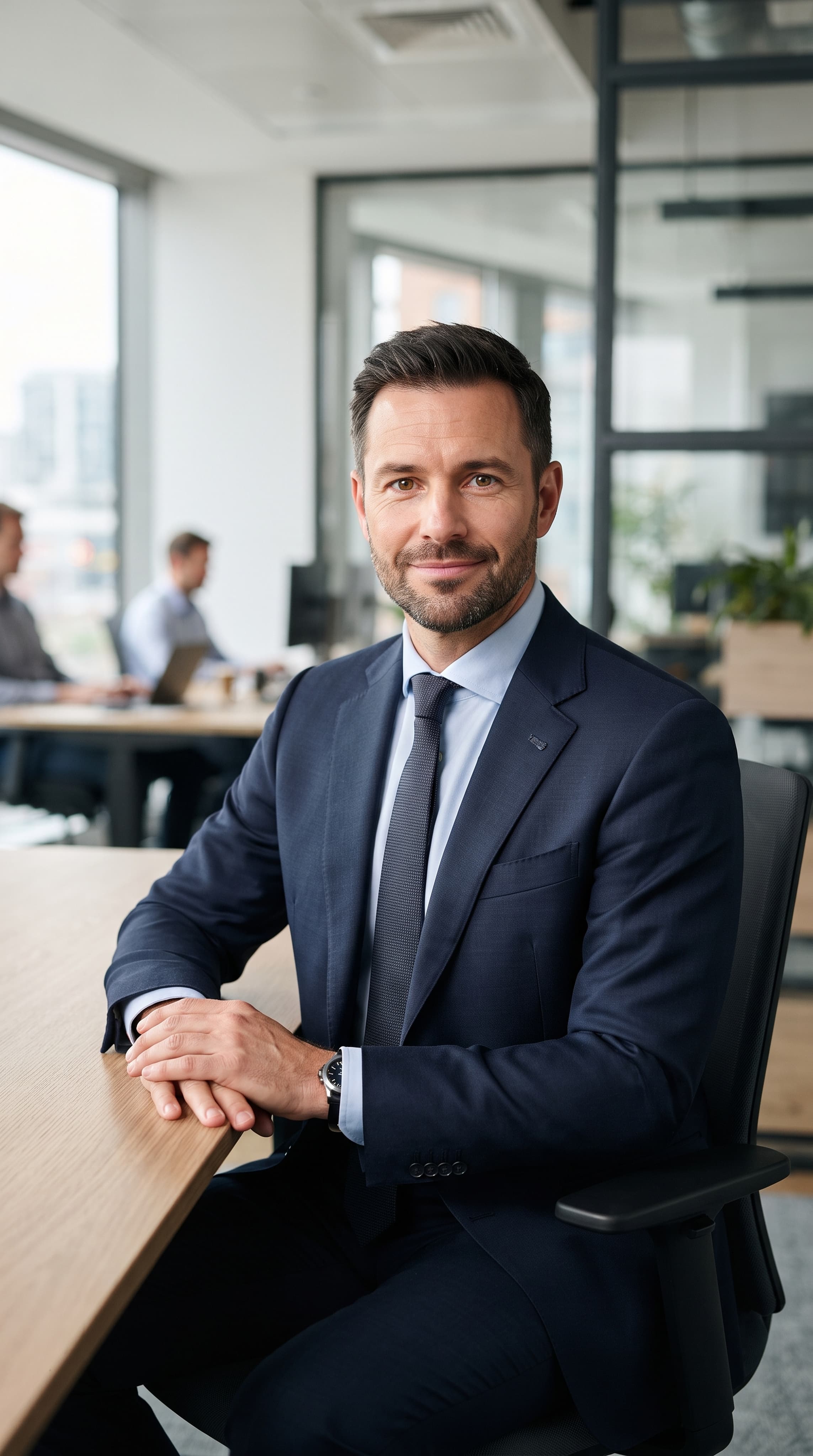
Create a professional business photo of a man in a dark blue suit and a light shirt. A modern office with a neutral interior in the background, calm, confident facial expression, soft studio lighting, neat composition, realistic photography for a corporate website, natural skin tones, waist-length portrait
This option is suitable for visualizing business images and corporate photography concepts.
4. Product photo for online store
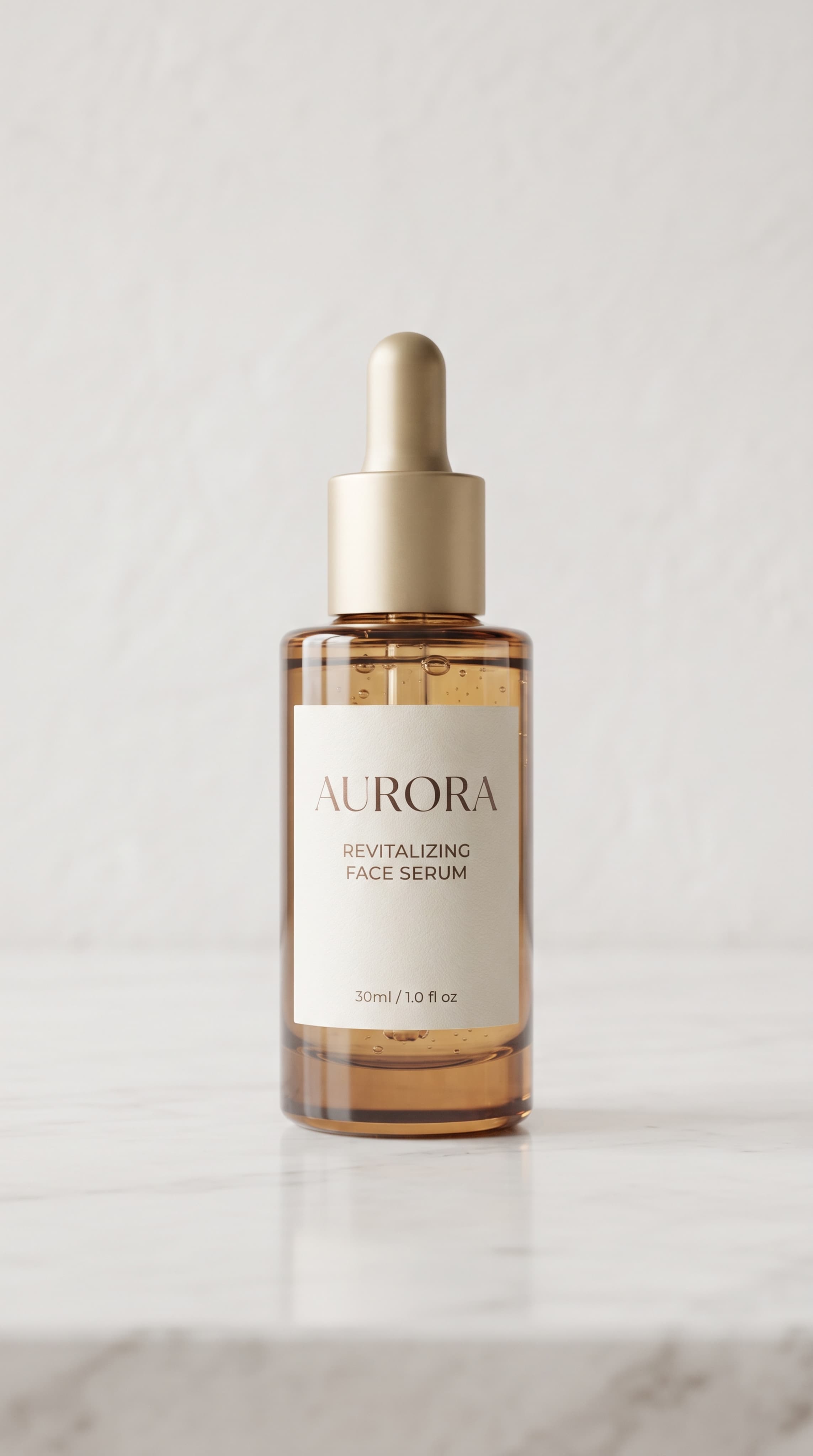
Create a professional object photo of a bottle of cosmetics on a light, minimalistic background. Soft shadows, neat reflections, diffused studio lighting, clean composition, emphasis on the shape and material of packaging, aesthetics of premium advertising photography, high detail, vertical format
For a real product, it is better to upload a photo of the product itself if the model supports working with references. This will help to preserve its appearance. After generation, it is necessary to check whether the neural network has changed the label, logo, packaging shape or other important characteristics.
5. Romantic couple photo
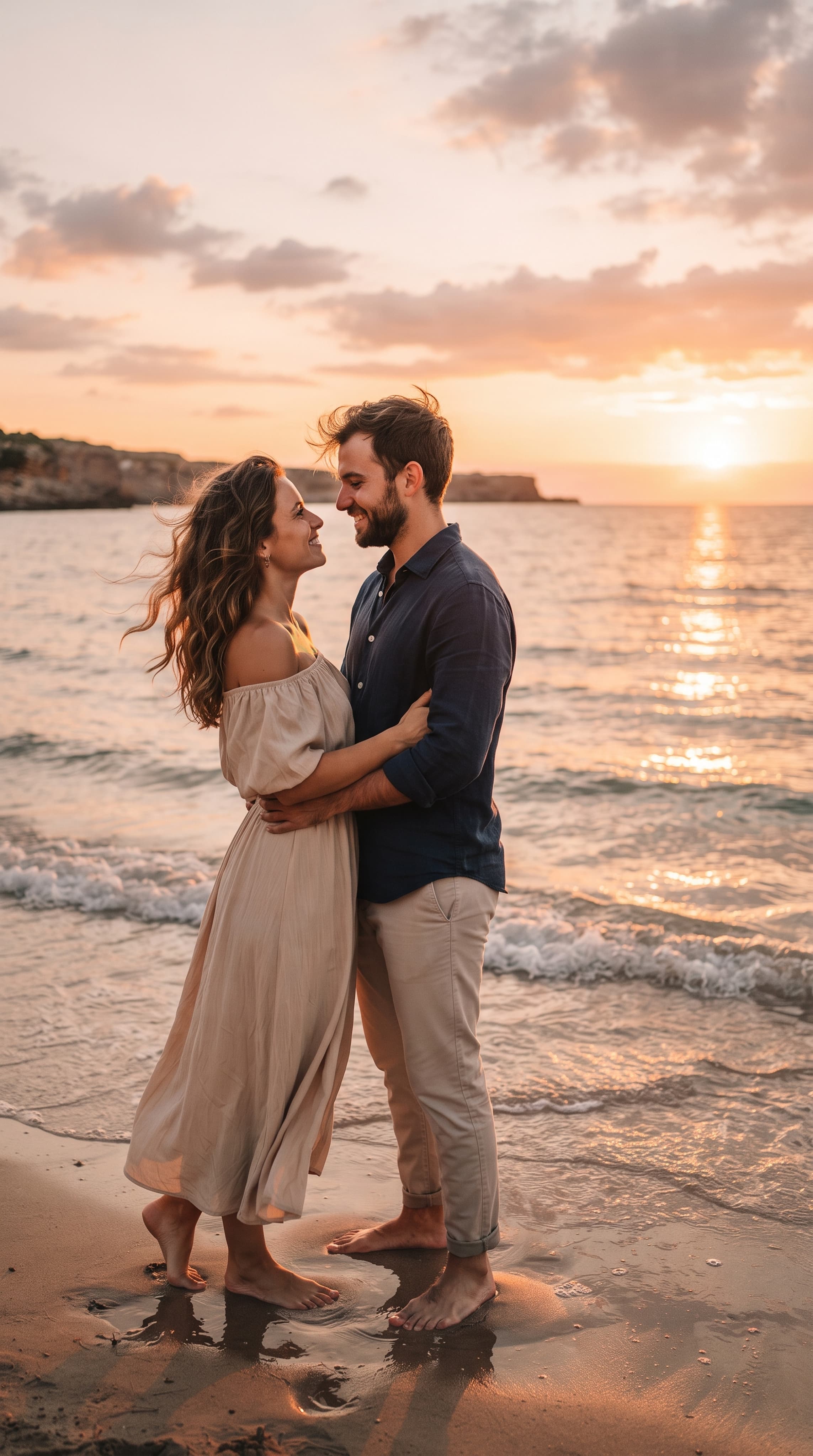
Realistic photo of a couple in love by the sea during sunset. A couple stands next to each other and looks at each other, light wind, warm golden lighting, soft waves, calm romantic atmosphere, natural poses, cinematic composition, natural shades, professional photography
Such a request can be used as a basis for wedding, romantic and festive plots.
6. Cinematic style photos
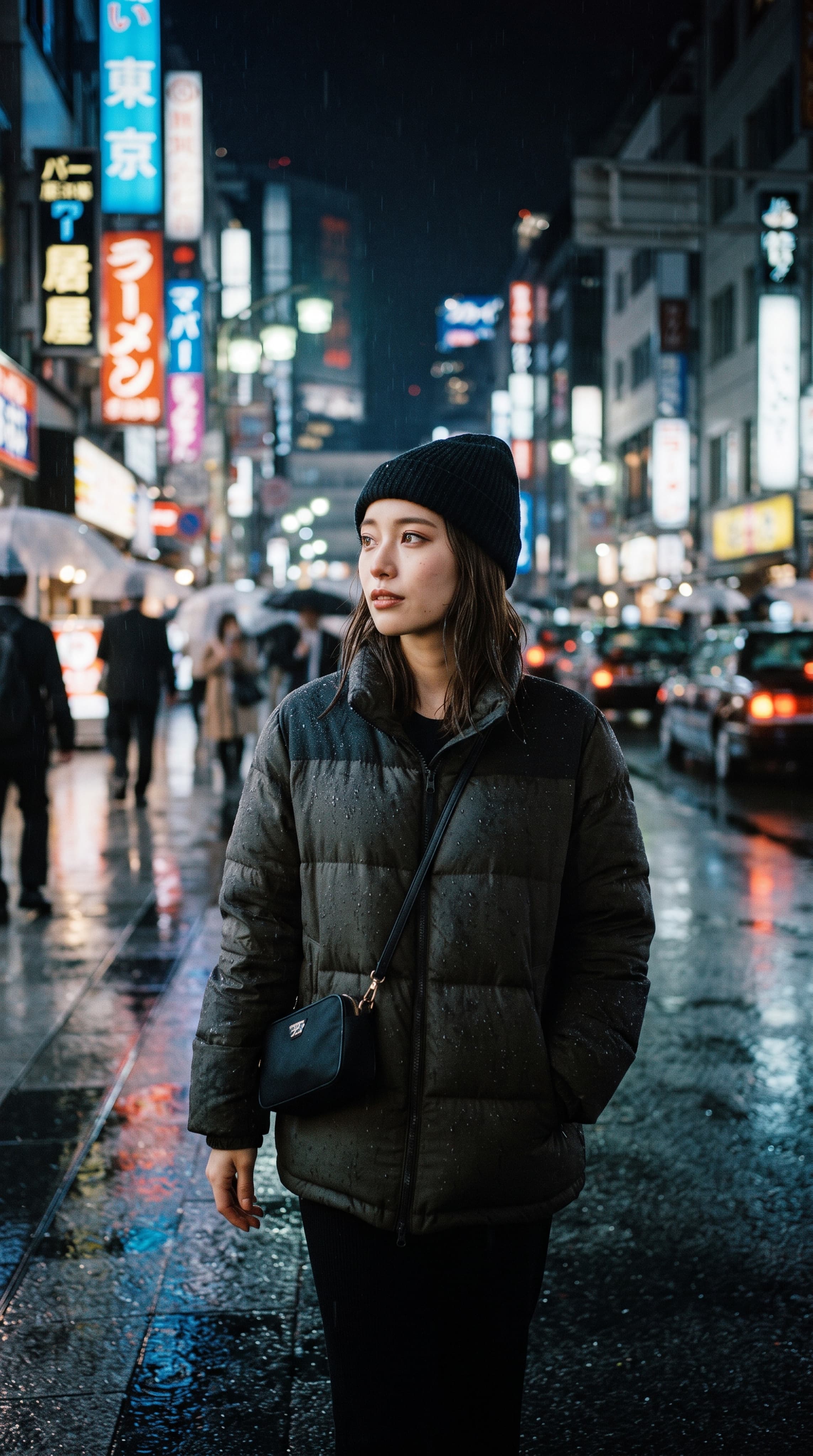
A cinematic portrait of a man on a big city night street after the rain. Reflections of lights on wet asphalt, soft neon light sources, expressive composition, deep shadows, natural skin texture, realistic details, atmosphere of a modern film, vertical frame
This option is suitable for creating atmospheric portraits and artistic visuals.
Ready-made queries can be adapted to different neural networks. If the model does not understand certain formulations or produces unexpected results, try to shorten the description and leave only the most important characteristics.
To get more predictable results, it is important not just to add a lot of words, but to consistently describe the image.
- Specify the composition
The words "close-up portrait", "waist-length", "full-length", "top view" or "wide frame" help to set the location of objects in the image.
If you need a photo for an avatar, it is better to explicitly specify that the face should occupy the main part of the frame. For product photography, on the contrary, it is important to provide enough free space around the object.
- Describe the lighting Light significantly affects the perception of an image. Soft daylight is suitable for a natural portrait, controlled studio lighting is suitable for an advertising shoot, and contrast or color light is suitable for an art scene. Instead of the general phrase "beautiful lighting", use more specific instructions.
- Do not mix incompatible styles
If you specify photorealism, watercolor illustration, pixel graphics, and advertising photography in one request at the same time, the result may be unpredictable. It is better to choose one basic style and clarify its specific features.
- Use references when specific details are important.
If the neural network supports uploading source images, the reference can help convey the appearance of a person, an object, a color palette, or a composition.
At the same time, different models retain the similarity and individual elements of the original photo in different ways. If it is important to preserve the appearance of a person, check the capabilities of the selected tool in advance.
- Formulate the changes specifically When editing an image, it is useful to specify what needs to be changed and what needs to be left unchanged. For example: "Replace the background with a light studio, keep the person's position, clothes, and composition." This is clearer than asking "Make a better photo."
Even modern models sometimes make mistakes. Most often, the problem is related to an ambiguous query, a complex composition, or the limitations of the model itself.
The hands and fingers are not displayed correctly. Try to simplify the pose, reduce the number of objects in the frame, and repeat the generation. If the model supports local editing, you can fix the problem area separately.
The face looks unnatural. Specify that photorealism, natural skin texture, and well-proportioned facial features are required. Avoid too many conflicting appearance requirements.
The neural network ignores part of the prompta. Move the main requirements to the beginning of the request, reduce the minor details, and try again.
Random text appears on the image. If the labels are not needed, specify it directly. If you need accurate text on the packaging or advertising banner, check it after generation: neural networks may make mistakes in spelling letters and words.
The photo looks too artificial. Specify realistic lighting, natural colors, plausible materials, and moderate processing. Sometimes a shorter and more specific prompt works better than a long description with multiple effects.
The result does not look like the original photo. If you are using the uploaded image, check whether the selected model supports maintaining the appearance and editing individual elements. The mere mention of "save face" is not always enough.
Yes, some services provide free generation, trial limits, or limited access to individual models. However, conditions vary: the number of images, resolution, available features, and processing speed may depend on the pricing plan.
When choosing a free neural network for creating photos, it's worth checking out:
In AITale There are various tools available for working with images. The site provides free generation Nano Banana 2 and Pro — up to five photos per week according to the published terms of service. Before starting work, you should check the current limits and tariffs.
If you plan to create a lot of images, compare the cost of generation and the available features of different models. For rare experiments, a free limit may be sufficient, and for regular work on content, it is more convenient to choose the appropriate tariff.
The generated images are suitable for a variety of tasks, but in each case it is important to take into account the requirements for quality and reliability.
For social networks. You can create avatars, covers, thematic publications, illustrations, and visual concepts.
For business. AI images help develop advertising ideas, create visual prototypes, and prepare design concepts. For photos of real products, the result must be checked for compliance with the actual product.
For blogs and websites. The neural network can create illustrations for articles, covers of materials, and visual examples. At the same time, the images must correspond to the content of the publication.
For personal projects. You can experiment with virtual photo shoots, artistic images, fantastic scenes and visualization of ideas that are difficult to realize with ordinary photography.
For presentations and advertising. Generation helps you prepare visual concepts faster, set the mood, and test several design options.
If an image is created for advertising, publication on behalf of a brand, or a commercial project, it is important to study the terms of use of the result in advance and check the labeling requirements for synthetic content, if applicable.
You can create a photo using a neural network in a few simple steps: define a task, select a suitable AI model, create an idea, run the generation and, if necessary, adjust the result.
The main secret of a high—quality image is a specific description. Specify the main object, environment, composition, lighting, and desired style. Don't try to describe every little thing right away: start with the basic requirements and gradually refine the details.
If you want to create an image based on a text description, try a virtual photo shoot, or edit an existing photo, start with the available tools on AITaleChoose a model, prepare an industrial design, and experiment with different options to find a suitable visual result.