Prompts
· 21 min
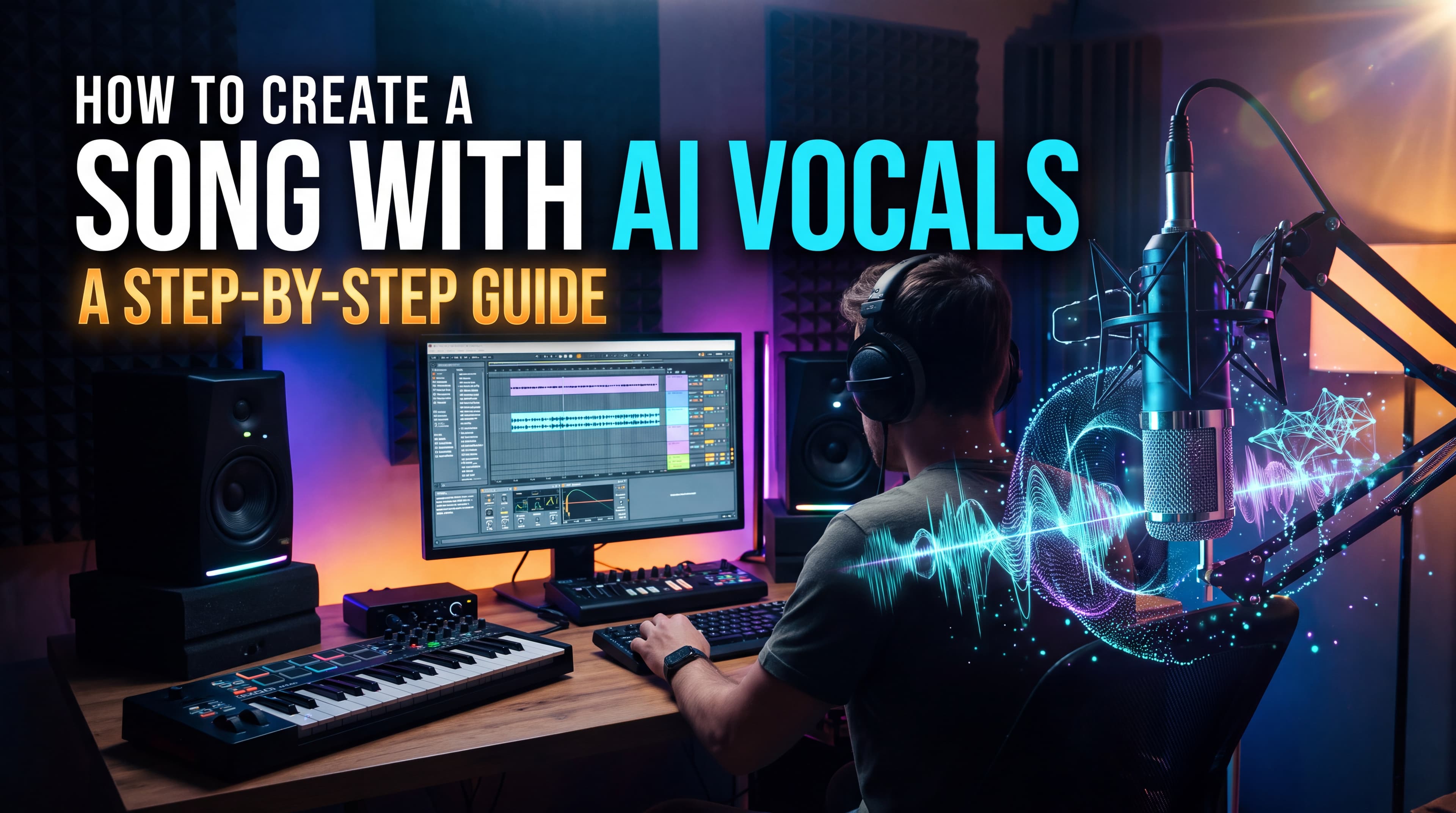
Creating a song no longer requires a professional recording studio, expensive equipment, or years of musical training. With an AI song generator, you can turn a simple idea into a complete track featuring lyrics, melodies, instruments, and realistic-sounding vocals.
Whether you want to make a pop song, produce an electronic track, create a personalized birthday song, or experiment with AI-generated singing, modern music tools make the process accessible to beginners and experienced creators alike.
In this guide, you'll learn how to create a song with AI vocals, choose the right music style, write effective prompts, generate lyrics, and refine your track. We'll also explore how to use Suno AI on AITale to turn your musical ideas into original songs.
AI vocals are digitally generated singing voices created with artificial intelligence. Instead of recording a vocalist in a studio, you can describe the voice and musical style you want and let an AI music generator produce a vocal performance.
Depending on the tool and its features, AI-generated vocals can include:
AI singing in different languages: Some models can generate songs in multiple languages, although pronunciation and lyrical accuracy vary.
An AI song generator can often create the vocals and instrumental arrangement together, producing a complete track rather than an isolated singing voice.
For example, you could enter a prompt describing an emotional indie-pop song with a female lead vocal, acoustic guitar, atmospheric synthesizers, and a memorable chorus. The AI interprets those instructions and generates a musical version of your idea.
You don't necessarily need musical experience or recording equipment. Before generating your first track, prepare a few basic elements
Start with a simple concept. Your song could tell a story, express an emotion, celebrate an event, or communicate a message.
Examples include:
A clear concept helps the AI generate lyrics and music that feel connected.
You can write your own lyrics or ask an AI tool to help you develop them. Some music generators can create lyrics from a short description, while others let you enter custom lyrics for more control.
If you already have a chorus or a few lines, use them as the foundation for the song
Decide what kind of sound you want. Common options include pop, rock, hip-hop, R&B, country, folk, electronic music, jazz, and cinematic soundtracks.
You can also combine genres. For example, an indie-pop song with electronic production or an acoustic ballad with orchestral elements.
Choose a tool that supports AI song generation with vocals. On AITale, you can use the available Suno music-generation model to create songs with vocals or instrumental arrangements. The specific controls, available features, and usage limits may depend on the model and current platform options.
Follow these steps to turn your idea into a complete AI-generated song.
Before opening an AI music generator, decide what you want the listener to feel.
The mood influences the melody, rhythm, vocal delivery, and instrumentation. A cheerful summer song requires a different arrangement from a melancholic piano ballad.
Consider these examples:
Song purpose: Romantic song Mood: Warm and intimate Suggested musical direction: Soft pop, acoustic guitar, gentle vocals
Song purpose: Workout anthem Mood: Energetic and powerful Suggested musical direction: Electronic pop, driving drums, strong vocals
Song purpose: Birthday song Mood: Playful and joyful Suggested musical direction: Upbeat pop, catchy chorus, lively instrumentation
Song purpose: Emotional ballad Mood: Reflective and heartfelt Suggested musical direction: Piano, strings, expressive lead vocals
Song purpose: Brand jingle Mood: Memorable and positive Suggested musical direction: Short pop arrangement, simple melody, clear vocals
Song purpose: Relaxing background music Mood: Calm and atmospheric Suggested musical direction: Ambient pop, soft vocals, subtle electronic textures
You don't need to know technical music terminology. A simple description such as "a hopeful song about starting over, with warm vocals and a gradual emotional build" can be a useful starting point.
Lyrics give your song its message and personality. You can write them yourself or use an AI writing assistant to brainstorm ideas, develop verses, and improve the chorus.
A traditional song structure might look like this:
Not every song needs all these sections. A short social media track or advertising jingle may work better with a single verse and a memorable chorus.
Tip: Keep your lyrics easy to understand and sing. Shorter lines, natural phrasing, and a clear emotional theme can make it easier to generate a coherent vocal performance.
If you want the AI to sing your exact words, use a generation mode that accepts custom lyrics rather than relying entirely on automatic lyric generation.
Your choice of AI music tool depends on the result you want.
Suno is designed to generate complete songs from text descriptions and, in supported modes, custom lyrics. It can combine singing, instrumentation, and production into a single track.
On AITale, the available Suno model can help you:
This makes Suno a practical starting point for creators who want to generate a complete song without arranging every instrument manually.
Tools such as ChatGPT and Claude can help you prepare the material for your song. They can brainstorm concepts, suggest song structures, draft lyrics, and refine prompts for a music generator.
For example, you could ask an AI writing assistant to create three different chorus ideas for an uplifting pop song. After choosing your favorite, you can develop the full lyrics and use them in your music-generation workflow.
These tools support the songwriting process, while a music generator turns the concept and lyrics into audio.
Some specialized tools focus on voice synthesis, vocal conversion, or singing-voice generation rather than creating a complete musical arrangement.
These may be useful when you already have an instrumental track or need more control over the vocal component. However, their capabilities differ: a speech voice generator, for example, may not support singing at all.
If your goal is to create a finished song quickly, start with a music generator that explicitly supports AI vocals.
A prompt tells the AI what kind of song to create. The more clearly you describe the musical direction, the easier it is to guide the result.
A useful AI song prompt can include:
You don't have to include every element in every prompt. Start with the details that matter most and refine your description after listening to the result.
Example of a basic prompt:
"Create an emotional pop song about missing someone. Use warm lead vocals, gentle piano, subtle strings, and a memorable chorus."
Improved prompt:
"Create an emotional indie-pop ballad about missing someone after a difficult goodbye. Use intimate, expressive lead vocals, gentle piano in the verses, atmospheric synthesizers, and gradually building drums. Make the chorus melodic, powerful, and memorable. Keep the production warm and cinematic, with a soft instrumental outro."
The second prompt gives the AI a clearer direction for the vocals, arrangement, and emotional progression.
Once your concept, lyrics, and prompt are ready, open the available music-generation tool.
On AITale, the general workflow is straightforward:
Some generators return multiple versions of a song. When that option is available, compare the alternatives rather than automatically choosing the first result.
Pay attention to the vocal performance, melody, lyrics, transitions, and overall sound.
Your first generation may not match your expectations perfectly. The vocals might sound too energetic, the melody may not fit the lyrics, or the chorus may lack impact.
Instead of rewriting everything, identify the specific issue and adjust your prompt.
Problem: Vocals sound too aggressive What to change in your prompt: Request softer, more restrained, intimate singing
Problem: The chorus lacks energy What to change in your prompt: Ask for a stronger melodic hook and a more powerful vocal delivery
Problem: The song feels too generic What to change in your prompt: Add a specific story, emotional progression, and distinctive instrumentation
Problem: The verses sound too crowded What to change in your prompt: Request a simpler arrangement with more space for the vocals
Problem: The mood is too cheerful What to change in your prompt: Specify a melancholic tone, minor-key atmosphere, and restrained instrumentation
Problem: The vocal style is inconsistent What to change in your prompt: Describe one clear lead-vocal character and delivery style
Problem: The ending feels abrupt What to change in your prompt: Request a gradual musical resolution and a defined outro
If your chosen tool supports section replacement, extending a track, or adding vocals to an existing instrumental, you may be able to refine only the parts that need improvement.
The available editing options depend on the model and your access level.
After choosing the strongest generation, review the entire track from beginning to end.
Check the following:
If you plan to publish the track, also check the audio export options, licensing terms, and any requirements for attribution or disclosure.
You can then use the finished song in a personal project, social media content, a creative presentation, or another permitted application, subject to the applicable terms.
One of the easiest ways to improve your results is to experiment with well-structured prompts. The following examples can be adapted for an AI song generator that supports vocals.
Prompt: "Create an emotional pop ballad about letting go of someone you still love. Use expressive, intimate lead vocals, soft piano, subtle strings, and a gradual build toward a powerful chorus. Keep the verses restrained and the final chorus emotionally intense. Finish with a gentle piano outro."
Best for: Love songs, reflective tracks, and emotional storytelling.
Prompt: "Create an upbeat summer pop song about road trips, close friends, and unforgettable nights. Use bright, energetic lead vocals, catchy melodies, punchy drums, shimmering synthesizers, and a strong sing-along chorus. Make the production feel sunny, playful, and radio-friendly."
Best for: Summer playlists, travel videos, and lifestyle content.
Prompt: "Create a warm acoustic love song about finding comfort in another person. Use gentle lead vocals, fingerpicked acoustic guitar, soft piano, and subtle backing harmonies. Keep the arrangement intimate and organic, with natural vocal phrasing and a heartfelt chorus."
Best for: Romantic gifts, wedding videos, and personal projects.
Prompt: "Create a dark alternative rock song about inner conflict and breaking free from expectations. Use gritty lead vocals, distorted electric guitars, deep bass, and powerful live-sounding drums. Build tension in the verses and release it through an intense, melodic chorus."
Best for: Dramatic storytelling, gaming edits, and rock-inspired projects.
Prompt: "Create a mellow lo-fi song about a rainy evening spent alone in the city. Use soft, relaxed vocals, dusty drum textures, warm electric piano, subtle vinyl-like ambience, and gentle bass. Keep the arrangement minimal and atmospheric, with an introspective mood."
Best for: Relaxing playlists, study content, and atmospheric videos.
Prompt: "Create a smooth contemporary R&B song about unexpected chemistry between two people. Use soulful lead vocals, rich harmonies, laid-back drums, deep bass, and warm electric piano. Keep the verses intimate and the chorus melodic, expressive, and memorable."
Best for: Romantic playlists and modern R&B concepts.
Prompt: "Create an uplifting pop-rock anthem about overcoming setbacks and believing in yourself. Use powerful lead vocals, driving drums, energetic electric guitars, and a soaring chorus. Start with a restrained verse and build toward a triumphant final section with layered backing vocals."
Best for: Motivational videos, sports content, and personal achievement projects.
Prompt: "Create an energetic electronic dance track about feeling free on the dance floor. Use confident, rhythmic lead vocals, pulsing synthesizers, a driving four-on-the-floor beat, and a catchy vocal hook. Build anticipation before a high-energy drop and finish with a polished electronic outro."
Best for: Dance content, event promotions, and electronic music experiments.
Prompt: "Create a cinematic song about hope after a long journey. Use ethereal lead vocals, atmospheric pads, delicate piano, orchestral strings, and gradually expanding percussion. Begin quietly, build emotional intensity throughout the song, and end with a spacious, uplifting instrumental resolution."
Best for: Short films, trailers, and emotional visual storytelling.
Prompt: "Create a short, upbeat advertising jingle for a modern lifestyle brand. Use bright lead vocals, a simple and memorable melodic hook, crisp percussion, and cheerful pop instrumentation. Keep the lyrics concise, the brand message easy to understand, and the ending clear and catchy."
Best for: Brand campaigns, product videos, and social media advertising.
Prompt tip: Treat these examples as starting points. Change the lyrics, vocal characteristics, genre, and instrumentation to suit your project. The exact result will vary with the selected AI model and its settings.
AI-generated vocals can be impressive, but the final result depends on the prompt, lyrics, and capabilities of the model.
Use these techniques to improve your song.
Long lines with too many syllables can lead to awkward phrasing. Use natural sentence structures, clear rhythm, and deliberate repetition where appropriate.
For example, a short, memorable chorus may work better than a long paragraph containing several unrelated ideas.
Instead of simply writing "female vocals" or "male vocals," explain how the singer should perform.
Useful descriptions include:
These descriptions guide the performance more effectively than a vocal label alone.
Combining too many unrelated genres can make a prompt confusing. Start with one primary genre and add one or two complementary influences.
For example, "indie pop with subtle electronic textures" provides a more focused direction than a prompt that combines pop, metal, jazz, classical music, and several unrelated vocal styles.
A single prompt can produce different interpretations. Try a few variations and compare the results.
You might keep the same lyrics while changing the tempo, instrumentation, or vocal delivery. This makes it easier to understand which elements contribute to the strongest version.
If necessary, revise the lyrics and generate another version.
Some AI music platforms offer voice-personalization features that allow users to create songs using their own recorded voice. Depending on the tool, this may involve uploading a vocal recording, verifying your identity, or creating a reusable voice profile.
This is different from simply generating a song with an AI-selected singer.
If your goal is to use your own voice, check whether the selected platform and model support that functionality. Suno, for example, documents a Voices feature that can use a verified voice profile to generate songs. Feature access and availability may depend on the account, subscription, and location.
On AITale, start by checking the capabilities of the currently available music model. Do not assume that every voice-personalization or vocal-editing feature offered by a standalone service is available through every platform integration.
Important: Only upload voices and recordings that you have permission to use. Do not imitate a real person in a misleading way or use someone's voice without appropriate authorization.
These terms are related, but they describe different capabilities.
Feature: Primary purpose AI song generator: Creates complete musical tracks AI voice generator: Generates or transforms vocal audio
Feature: Instrumental arrangement AI song generator: Usually included AI voice generator: May not be included
Feature: Singing and lyrics AI song generator: Supported by music models with vocals AI voice generator: Depends on the specific tool
Feature: Custom lyrics AI song generator: Available in supported modes AI voice generator: May require separate lyric input
Feature: Best use case AI song generator: Creating a complete song AI voice generator: Working with a specific voice or vocal part
Feature: Music production AI song generator: Often generated automatically AI voice generator: May require a separate music-production workflow
If you want to create a song from scratch, a full AI music generator is usually the easiest option. If you already have a beat or instrumental and need a particular vocal component, a specialized vocal tool may be more appropriate.
Some AI music generators offer free access, limited daily credits, or trial generations. Other features may require a paid subscription. The exact cost depends on the platform, selected model, and type of generation.
AITale provides access to AI music generation through its available Suno model. Check the current pricing and usage terms on the platform before creating multiple versions of a track.
When comparing tools, look beyond the initial generation cost. Consider whether the plan includes audio downloads, editing features, sufficient generation credits, and the rights you need for your intended use.
Commercial use depends on the tool's terms, your subscription, and the rights associated with the generated content.
Before using an AI-generated song in an advertisement, monetized video, podcast, game, or commercial release, check the following:
Do not assume that every song created with AI is automatically cleared for commercial use. Free and paid plans may offer different rights, and the terms can change.
If you intend to distribute your song through streaming services, review the requirements of your distributor and the relevant music platforms as well.
You don't need a professional studio or advanced music-production skills to explore AI songwriting. With a clear idea, a well-written prompt, and the right music generator, you can experiment with different genres, vocal styles, lyrics, and arrangements until you find a sound that works for you.
AITale brings AI creative tools together in one workspace, including access to Suno for music generation and AI chat tools that can help you develop song ideas and refine lyrics.
Ready to turn your idea into music? Visit AITale, explore the available music-generation options, and create a song with AI vocals that brings your concept to life.