
Telegram AI chat bot for writing and editing
Draft a post, shorten an email or turn notes into a product description. Try writing a one-line listing from a tea tin and check it against the supplied facts.
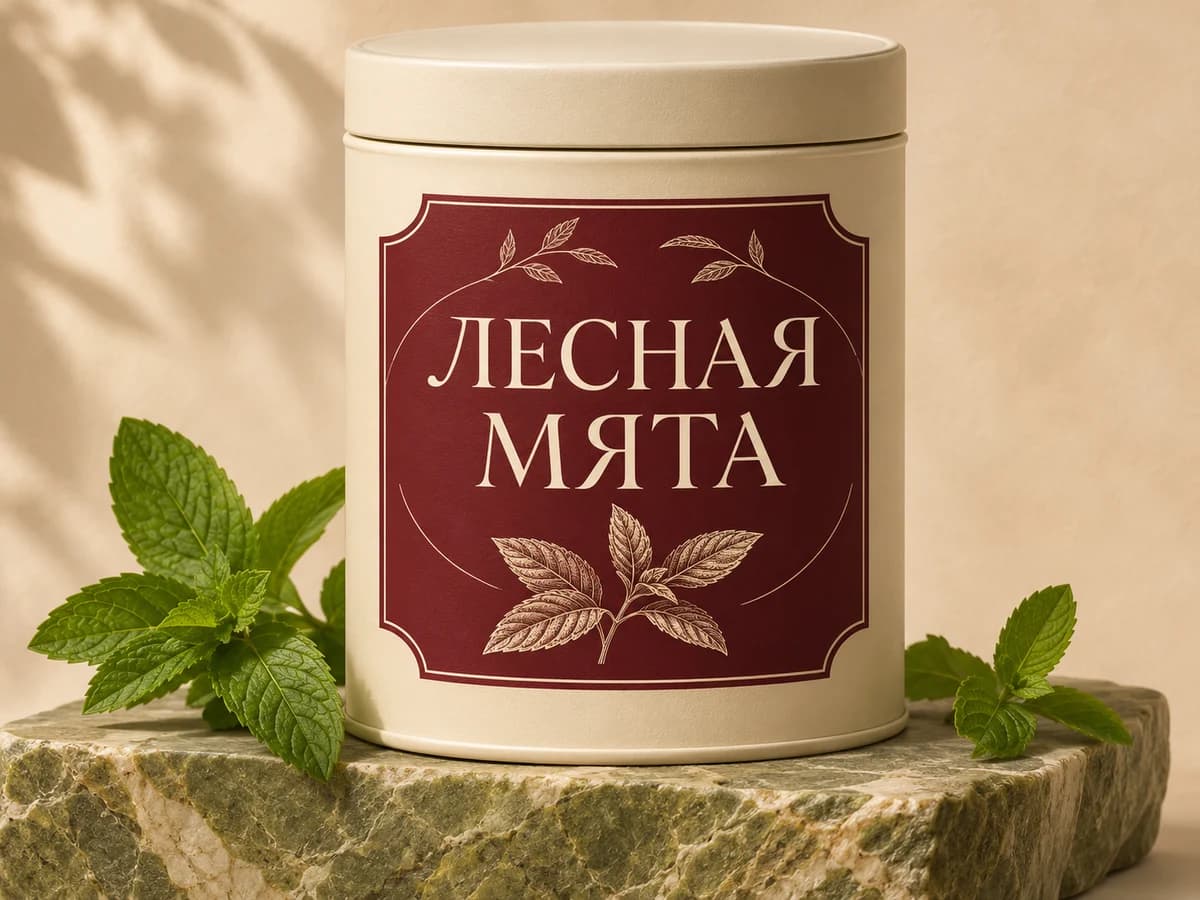
Give the assistant a brief it can verify
Copy the product name and packaging material into your message. Add the intended audience and length. If you do not know the price or ingredients, tell the assistant to leave them out. Read the draft against the original notes and ask for changes in the same thread.
Prompts
The product is called Forest Mint and comes in a metal tin. Write one sentence for a Telegram listing. Leave out price, weight, ingredients and health claims.
Sample reply
Forest Mint comes in a metal tin.
How to check an AI-written product listing
The name “Forest Mint” sounds like an ingredient. The lettering on the tea tin establishes the product name. For claims about ingredients or origin, the editor needs a separate source.
Spot an unsupported promise
Try reviewing “Natural forest mint tea in a gift tin”. Ask the chat to list each claim and identify the supporting note. The packaging is confirmed in your brief. Calling the tea natural or the tin a gift edition requires more information.
Add a newly confirmed detail
Suppose the supplier later confirms a net weight of 80 g. Ask the assistant to add only that fact to the approved version, keeping the name and packaging. The new line could read “Forest Mint, 80 g, in a metal tin”. Use your supplier’s actual figure for publication.
Prepare two lengths for Telegram
Ask for a short photo caption and a complete sentence for the catalogue. Check the spelling of the name, the unit and the packaging in both. A reader opening either version should get the same product facts.
Questions and answers
How can I revise the answer without starting over?
Send a follow-up in the same chat, quote the sentence you want to change and specify the tone. Start a fresh conversation for a different product.
How do I make an image for the finished post?
Save the approved caption. Open the photo bot or the image editor in the Mini App and describe the scene. Add the exact caption to the Telegram post.