
AI clip maker
A long conversation can contain several self-contained ideas. AICutter helps turn them into separate clips, and the editor lets you check every phrase and cut.
Turn your footage into a story. AICutter helps you make a reel, short lesson or product video: choose clips, style captions and adjust sound. A talking avatar and AI assistant help take your idea to a finished video.
Up to 20 files · 5 minutes of source footage · MP4 up to 1080p
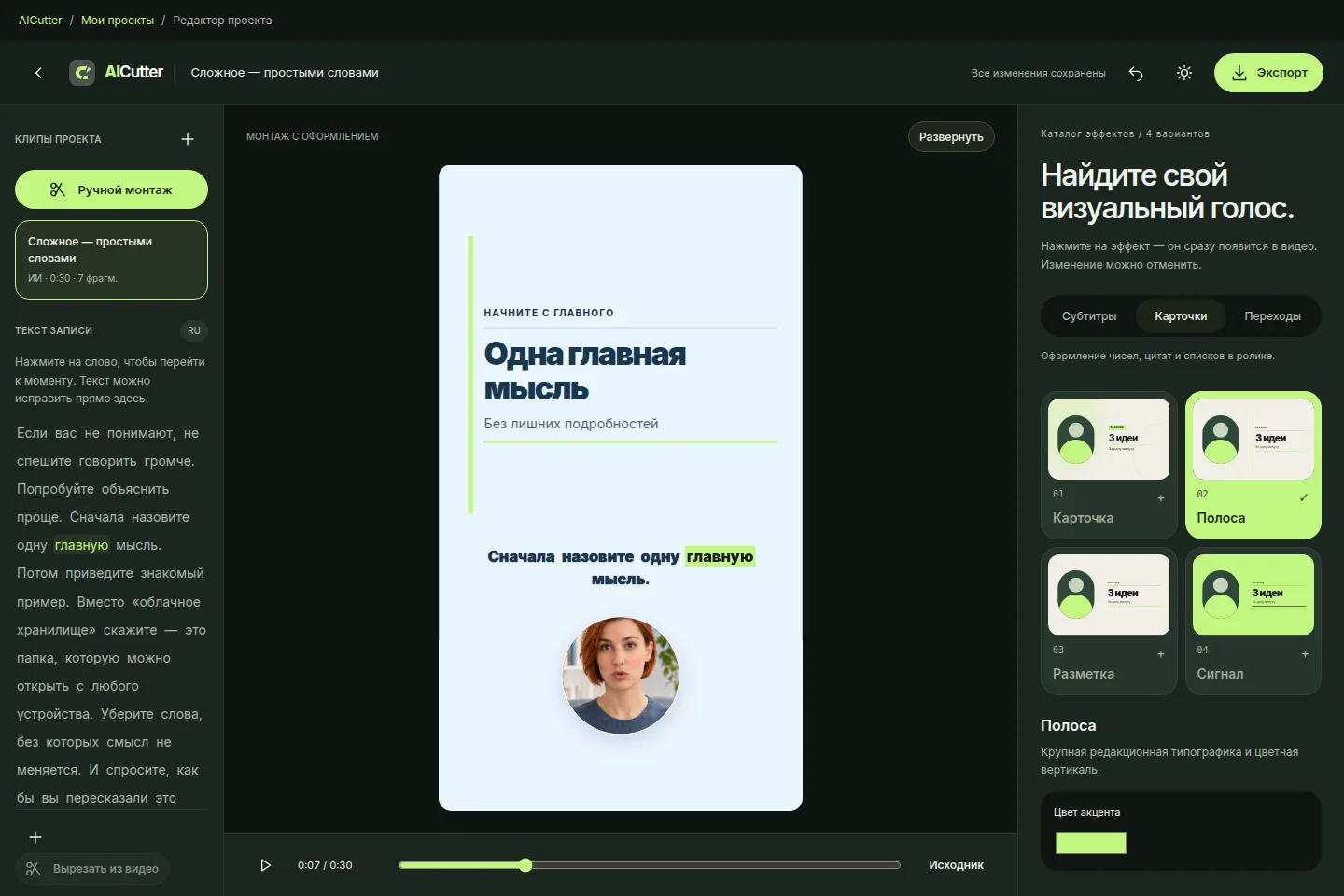
A long conversation can contain several self-contained ideas. AICutter helps turn them into separate clips, and the editor lets you check every phrase and cut.
Turn a portrait and text into a video with a virtual presenter. NeuroActor reads your lines and synchronizes lip movement with speech. The finished video opens in AICutter for further styling.
Describe what you want to change. The assistant suggests adjustments to captions, styling or selected scenes. Read the response, click Apply and review the result in the player.
A clear proposal for changes to an existing clip, or a script for a new video. Applied changes are saved in the project, and you can undo the last action.
Put speech on screen: generate a timed transcript, correct recognition errors and choose how captions appear in your video.
Put music behind your narration or make it the main soundtrack. Adjust the start time and volume so viewers can hear what matters.
Switch your footage to 9:16 and choose what stays in view. For screen recordings, you can keep the whole image with letterboxing.
Captions follow the speech. Graphic cards highlight key points. Framing changes as the story unfolds.
Three steps, warm color, calm rhythm. The list appears at the right moment.
Explore the editor, from scene editing and voiceover to the finished video.
These examples were edited by the author. Cards, captions and final exports were made in AICutter. The presenters and voices were created with external AI services. The walkthrough animation was made separately in Remotion. These are styling demonstrations, not tests of automatic AI scene selection.
Upload 1–20 videos, up to 5 minutes in total. Arrange your files; interrupted uploads can be resumed.
For example: “Keep the explanation of three mistakes; remove the introduction.” Choose a target length, aspect ratio, visual style and audio settings.
Review your edit, correct the text and adjust clip boundaries. Download an MP4 up to 1080p, with an optional separate SRT file.
Prepare images, video scenes or music in AITale. Download the materials you need and upload them to AICutter to assemble and style your video.
AICutter is a separate service: accounts, subscriptions and balances are not shared with AITale.
AI selects footage based on your brief and assembles a first edit. In manual mode, you control scenes, text and audio yourself. You can also use the manual editor to refine an AI edit.
Upload 1–20 files, up to 5 minutes in total. Interrupted uploads can be resumed.
Yes. Change text, scene timing and order, framing, music and visual style. Your original footage stays in the project.
MP4 Up to 1080p: vertical 9:16, square 1:1 or horizontal 16:9. Subtitles can also be downloaded in SRT.