
Text to video
Describe the setting, subject and action. Add framing, lighting and a camera move to turn a general idea into a directed scene.
A smooth camera move, a living portrait or a dynamic scene: describe how your clip should look. AITale offers Kling 4.0 for text and image generation, plus a separate Kling Motion Control mode for movement based on a reference video.
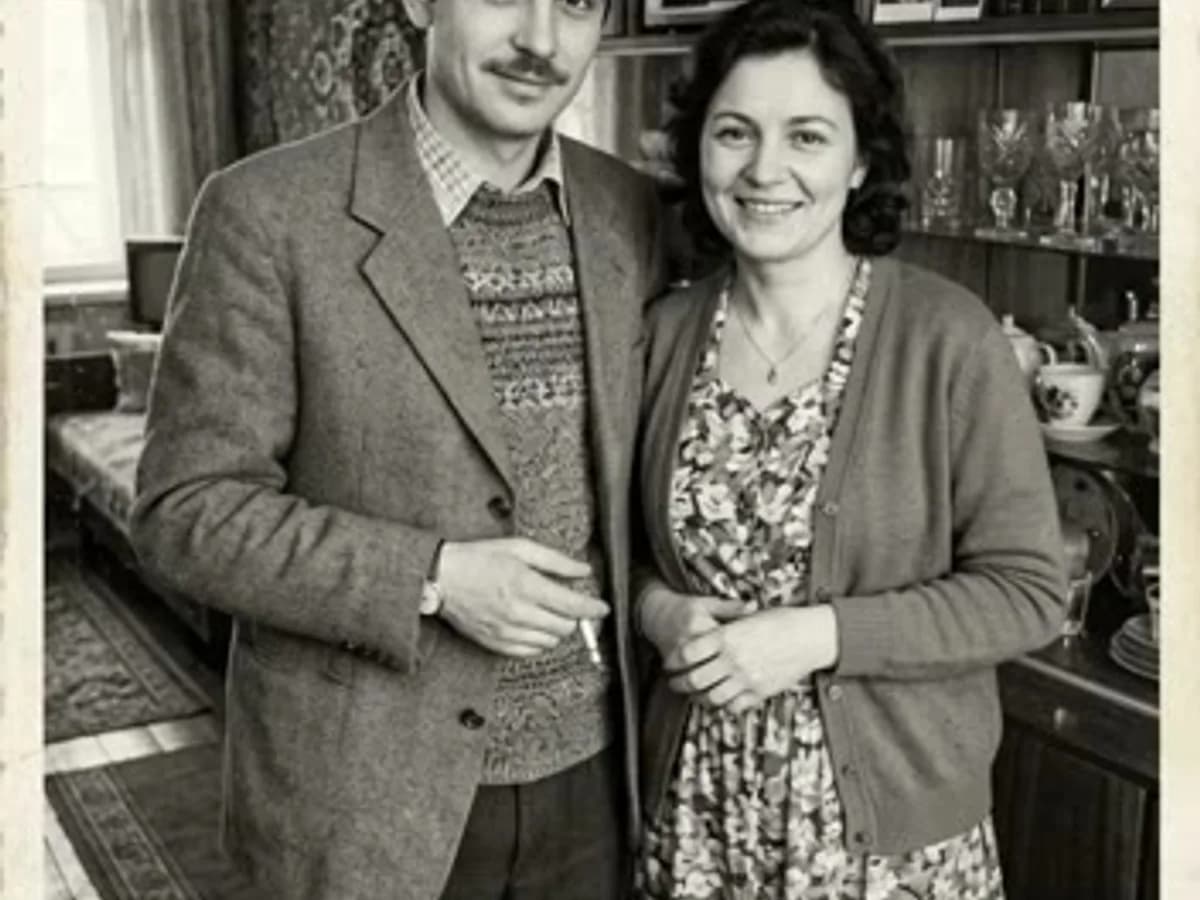
The library source does not identify its model. This illustrates a photo animation task and is not presented as a Kling output.
Kling is Kuaishou’s video model family. The developer emphasizes realistic motion, camera direction and longer continuous shots in version 4.0. On AITale, start with text or a source photograph.
Describe the setting, subject and action. Add framing, lighting and a camera move to turn a general idea into a directed scene.
Use a source image as a visual anchor. State which details matter and add movement that suits the photograph’s composition.
A slow push-in, tracking a subject or orbiting an object makes the camera part of the story. Start with one movement per shot.
A separate task combines a character photo with a video reference for movement. It has its own form and differs from ordinary text-to-video generation.
A model version and a motion-transfer mode are not the same thing. Ordinary video generation uses Kling 4.0.
| Version / mode | What it is for | On AITale |
|---|---|---|
| Kling 4.0 | Generate from text or a photograph. The form offers 720p and 1080p at 5, 10, 15, 20, 25 or 30 seconds. | Available |
| Kling Motion Control | A character image and a movement reference video, using a dedicated form and source-file requirements. | Available |
| Kling 2.6 / 3.0 | Previous generations found in older reviews and search results. They do not replace the current Kling 4.0 generation option. | Background information |
Kling’s own application has features beyond the AITale form. Professional tools, every Omni Reference input and video extension are not advertised here.
Try Kling for product shots, portraits and short stories built around a clear action.
Add blinking, a smile, a turn or subtle hair movement. Begin with a small action to preserve the character of the source portrait.
Show a product close up, with deliberate lighting and camera direction. Specify the packaging, colour and shape that should match the reference.
One subject, one action and expressive lighting. Describe where the camera begins and how the shot ends.
For a movement reference, try Motion Control. Use a suitable photo angle and a video in which the action is clearly visible.
Choose Kling 4.0 for an ordinary clip. Select the separate Motion Control mode when the goal is movement based on a reference video.
Open Video and select Kling 4.0 or Motion Control. For an ordinary clip, set duration, resolution and aspect ratio.
Describe the scene and motion. Add a photograph or the sources requested by Motion Control and check their suitability in the preview.
Check the cost before generating. Review faces, hands, products and camera motion, then download or refine your description.
These are new ideas for your own experiments, rather than the original prompts for the library sample above.
Animate the uploaded portrait. The person gently raises their gaze and smiles, blinking naturally. Soft window light, a still camera and subtle hair movement. Preserve the face, age, clothes and background. No angle changes or new objects.
A ceramic cup rests on a pale stone table. The camera slowly moves around it in a small arc as thin steam rises. Morning side light and calm product photography. Preserve the cup shape and colour. No text overlays or extra hands.
One continuous shot of a cyclist on a quiet street after rain. The camera tracks smoothly from the side, with neon reflecting on the wet road. Natural wheel and clothing movement, moderate speed and realistic lighting. No subject changes or abrupt cuts.
Use the character from the photograph and the movement from the uploaded video. Preserve the character’s appearance, clothing and proportions. Keep the movement natural, without additional limbs or changes to the face.
Separate the subject’s action from the camera movement. Start with a simple setup, then add detail.
“A slow push toward the face” gives clearer direction than an orbit, pan, zoom and sudden cut together. Describe the final framing if it matters.
Angle, lighting and visible body parts affect the scene. For broad movement, choose a photograph with enough space around the character.
Use a reference video with visible action and limited occlusion. Frequent angle changes make the task harder. Check exact file limits in the form.
Generation does not guarantee every letter or perfectly physical motion. Watch the full result before publishing when a product or face matters.
AITale pricing depends on mode, duration and quality. The form shows the total before you start.
Kling 4.0 offers 5 to 30 seconds. A shorter first test helps check your idea before a longer generation.
Resolution affects pricing. Select the quality you need and compare the total before confirming.
The reference-video mode has its own pricing terms. Ordinary Kling 4.0 rates do not automatically apply to Motion Control.
Payment uses your AITale balance. A separate Kling subscription is not required; permanent free generation is not promised.
Pricing and termsExplore multiple references and choose Mini, 2 or 2.5 for your story.
Explore SeedanceAnother approach to photo animation and short scenes from descriptions.
Explore Grok VideoIt is Kuaishou’s video model family. AITale offers Kling 4.0 for text and image generation, with a separate Motion Control mode for reference movement.
Yes. Choose Kling 4.0, add a photograph and describe the movement. A quiet gesture and still camera are a useful first experiment.
It combines a character photograph with a movement reference video. This is a different task from creating a scene using text alone.
The ordinary Kling 4.0 form offers 5, 10, 15, 20, 25 and 30 seconds. Motion Control has separate source-video requirements.
The current AITale Kling 4.0 form offers 720p and 1080p. Developer-app capabilities do not imply the same settings here.
No. Generation through AITale uses your AITale account and balance.
You need sufficient balance. Unlimited free access is not advertised; check current terms and the displayed cost before generating.
It illustrates a photo animation task using an AITale library clip. The source does not identify its model, so we do not claim that it was generated by Kling.
Start with a photograph or a short description. Choose Kling 4.0 or Motion Control for the task and try your first scene.
